OpenClaw Memory: Hindsight vs Supermemory vs Mem0
You told OpenClaw about your production database three weeks ago. The credentials, the port, the fact that the staging environment uses a different schema. It knew. It helped you debug a migration with that context.
Yesterday you started a new session and asked it to write a query. It asked you what database you're using.
This is the OpenClaw memory problem, and it's not a bug — it's how the system works. OpenClaw's built-in memory depends on the agent deciding what to save, and only the last two days of notes are auto-loaded at session start. For casual use, this is fine. For anything ongoing — a client project, a codebase you return to weekly, a personal assistant that should actually know you — it falls apart fast.
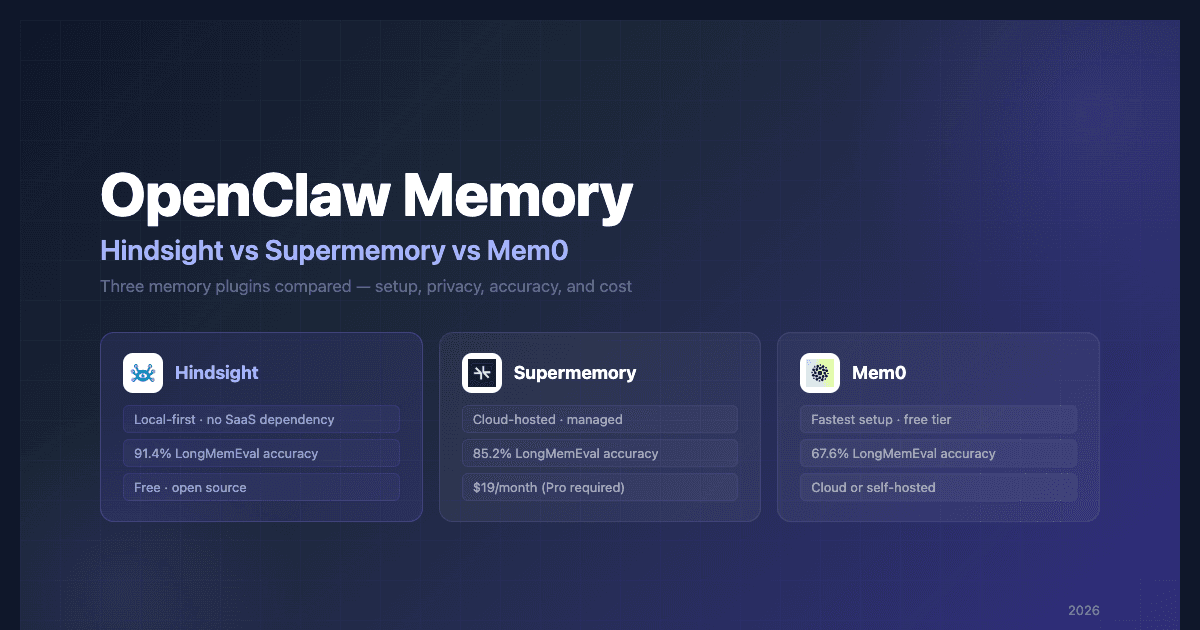
Three plugins actually solve this: Hindsight, Supermemory, and Mem0. All three add automatic memory capture and recall to OpenClaw, but they make very different trade-offs on privacy, cost, accuracy, and setup complexity.
This article compares them head-to-head. If you're already convinced and want the fastest path to working memory, jump to the Hindsight setup or Mem0 setup sections. Otherwise, read on — the differences matter more than you'd expect.
What's Wrong With OpenClaw's Default Memory
OpenClaw's built-in memory is a thoughtful design for what it is. Daily notes in memory/YYYY-MM-DD.md, a curated MEMORY.md for long-term knowledge, and a SQLite vector index for semantic search. It's readable, version-controllable, and runs entirely offline.
The problem isn't the storage format. It's the control flow.
The agent decides what to remember. OpenClaw's docs put it plainly: "If you want something to stick, ask the bot to write it." Memory is append-only text the model must explicitly choose to save using a tool call. If the model didn't think to write it down, it's gone. In practice, models are inconsistent about this — they save the things you tell them to save and miss the things you assumed they'd capture.
Context compaction limits recall. When a session gets long enough, OpenClaw compresses older conversation turns into a summary to stay within token limits. OpenClaw does run an automatic memory flush before compaction — so facts you explicitly saved are preserved on disk. But specifics that were never written to memory files (because the agent didn't think to save them) are gone once their conversation turns get summarized away.
Older notes aren't in context by default. Only today's and yesterday's daily notes are auto-loaded at session start. Notes from last week are still on disk and searchable — but the agent has to know it should search, at the right moment, with the right query. Models don't do this consistently.
The result: memory quality degrades over time. The longer you use OpenClaw, the more context it has accumulated, and the harder it is for the agent to find what it needs in that accumulation.
All three plugins we're comparing fix this by taking memory management entirely out of the agent's hands.
How Memory Plugins Work
Before comparing the three, it's worth understanding what they have in common — because all three use the same two-step model.
Auto-capture: After every conversation turn, the plugin sends the exchange to a memory engine. The engine extracts what's worth keeping — facts, preferences, decisions, context — and stores it externally, outside the conversation window entirely. The agent doesn't do this. The plugin does it automatically.
Auto-recall: Before the agent responds to your next message, the plugin queries the memory engine for context relevant to your current request. What it finds gets injected into the agent's context window automatically. Again — the agent doesn't call a tool. It just has the information.
The practical effect: the agent appears to remember things across sessions, across context resets, across weeks of inactivity. It doesn't "remember" in any meaningful sense — it's just that relevant context is always present when it needs to be.
Where Hindsight, Supermemory, and Mem0 diverge is in where that memory lives, how it extracts and retrieves knowledge, and what it costs.
At a Glance
| Hindsight | Supermemory | Mem0 | |
|---|---|---|---|
| Storage | Local (PostgreSQL, bundled) or Cloud | Cloud (Enterprise VPC option) | Cloud or self-hosted |
| Open source | Yes | No | Partially |
| Cost | Free (open source) / usage-based (Cloud) | $19/month (Pro required for plugin) | Freemium |
| Setup | ~3 commands | ~2 commands | ~30 seconds |
| Memory model | Structured facts, entities, relationships | Vector-graph with temporal reasoning | Semantic extraction, dual scope |
| LongMemEval accuracy | 94.6% | Up to 85.2% (Gemini-3) | Up to 67.6% (GPT-4o, LongMemEval-S) |
| Replaces built-in memory | Yes (takes the memory slot) | No (adds alongside) | No (adds alongside) |
| Data leaves your machine | No (local) or Yes (Cloud) | Yes | Optional (self-hosted: no) |
| Plugin | @vectorize-io/hindsight-openclaw | @supermemory/openclaw-supermemory | @mem0/openclaw-mem0 |
The "replaces built-in memory" row matters more than it might seem. Hindsight installs into OpenClaw's exclusive memory slot, which means it replaces the default system. Supermemory and Mem0 run alongside it. For most users that's fine — for users who want a clean break from the file-based system, Hindsight's approach is cleaner.
Hindsight 
Marcus was three months into a consulting engagement when his client asked him to switch to a more privacy-conscious setup. No API calls to OpenAI. No data leaving the client's network. He'd been using Mem0 Cloud for memory on his OpenClaw instance, and that had to go too.
He spent an afternoon with Hindsight. By end of day, his agent was remembering everything it had learned about the client's infrastructure — locally, with no external connections. The client's architecture notes, the quirks of their deployment pipeline, the three services that couldn't be restarted without a human in the loop. All of it, stored on his machine, queryable without an internet connection.
That's the use case Hindsight is built for.
Hindsight is an open-source memory engine that runs entirely on your machine. The core component is hindsight-embed — a daemon that bundles a full memory API and a PostgreSQL instance into a single process. No Docker. No external service to sign up for. No monthly bill.
What makes it different from the others is how it stores knowledge. Mem0 and Supermemory extract memories as text snippets — semantic chunks of conversation that get retrieved when relevant. Hindsight extracts structured knowledge: discrete facts ("production database runs on port 5433"), named entities (people, services, projects), and relationships between them ("auth service depends on Redis for sessions"). This gives retrieval more precision — when you ask about a specific service, Hindsight can surface facts that are directly about that service, not just chunks that happened to mention it.
On LongMemEval — the standard benchmark for agent memory — Hindsight outperforms both Supermemory and Mem0. Hindsight scores 94.6% accuracy (473/500 correct) — the top officially reproduced result on the Agent Memory Benchmark leaderboard. Supermemory peaks at 85.2% with Gemini-3. Mem0 reaches 67.6% on LongMemEval-S (a benchmark variant, per this paper). Full results are in the Hindsight launch post.
Setup is three steps:
# Step 1: Set an LLM for memory extraction (uses gpt-4o-mini, claude-3-5-haiku, etc.)
export OPENAI_API_KEY="your-key"

# Step 2: Install the plugin
openclaw plugins install @vectorize-io/hindsight-openclaw

# Step 3: Start OpenClaw
openclaw gateway
The daemon starts automatically on port 9077. You should see [Hindsight] ✓ Using provider: openai, model: gpt-4o-mini in the gateway output. That's it.
One detail worth knowing: the LLM you set here is only for memory extraction — the background process that pulls facts out of conversations. It's completely separate from whatever model your OpenClaw agent uses. A cheaper model (gpt-4o-mini, claude-3-5-haiku) is the right call; extraction doesn't need your most capable model.
Feedback loop prevention is built in. When Hindsight injects memories into context, those memories become part of the conversation. Without care, they'd get re-extracted as new facts on the next turn, creating exponential duplication. The plugin automatically strips its own <hindsight_memories> tags before retention. This is handled — you don't need to think about it.
Inspecting what your agent knows:
# Open the web UI to browse memories
uvx hindsight-embed@latest -p openclaw ui

# Search memories from the CLI
uvx hindsight-embed@latest -p openclaw memory recall openclaw "database credentials"
For teams running multiple OpenClaw instances, Hindsight supports two shared-memory options. You can self-host a Hindsight server and point the plugin at it via external API mode — your infrastructure, your data. Or, if you'd rather skip the self-hosting overhead, Hindsight Cloud works as the external API endpoint: use your Cloud URL and API token in the plugin config and all instances share the same memory store without running your own server. The trade-off is that Cloud mode does send your memory data off-machine, so for privacy-sensitive work the self-hosted or local daemon path is the better fit.
The full configuration reference covers memory isolation, retention controls, recall tuning, and both external API options. If you want a deeper walkthrough of the setup, the Hindsight OpenClaw integration guide covers the full process end-to-end including verification and advanced config.
Best for: developers on privacy-sensitive projects, anyone who doesn't want a recurring SaaS bill for memory, teams who want structured knowledge over raw text retrieval. Hindsight Cloud is worth considering for multi-instance setups where you want shared memory without managing your own server.
Supermemory 
Supermemory's pitch is accuracy. Their benchmark on "Memory Bench" — a platform they created — puts Supermemory at 85.9% vs OpenClaw's built-in RAG at 58.3%. Those numbers are self-reported and the benchmark isn't independently verified, so treat them as a directional signal rather than a definitive result.
On LongMemEval, the standard benchmark for agent memory research, the picture is different. Supermemory peaks at 85.2% with Gemini-3 — a solid result, but lower than Hindsight at 94.6% on the Agent Memory Benchmark leaderboard. That said, the architectural approach is genuinely strong.
Where OpenClaw stores flat text and retrieves via vector similarity, Supermemory uses a vector-graph layer that models relationships between entities and applies temporal reasoning — it understands that what you told it last month may be less relevant than what you told it yesterday, and it updates its knowledge graph as context evolves rather than accumulating raw snapshots. For long-running agents with complex, interconnected context, this matters.
Setup is minimal:
openclaw plugins install @supermemory/openclaw-supermemory
Add your API key to ~/.openclaw/openclaw.json and you're running. Auto-recall and auto-capture work out of the box.
The catch that most articles don't mention upfront: the OpenClaw plugin requires Supermemory Pro, which is $19/month. There's no free tier for the plugin. If you're evaluating options and have budget, that's a reasonable price for managed memory infrastructure. If you're looking for something free, it's a non-starter.
Data goes to Supermemory's cloud by default. Your conversation context, extracted memories, and user profile live on their servers. For most personal use this is fine. Supermemory does offer Enterprise self-hosting in your own VPC for teams with stricter data requirements, but that's an enterprise sales conversation — not a self-serve option comparable to Hindsight's local daemon or Mem0's open-source mode.
Best for: users who want the strongest accuracy claims, don't mind a monthly fee, and are comfortable with cloud-hosted memory. Strong option for personal OpenClaw instances where convenience matters more than data sovereignty.
Mem0 
Mem0's main selling point is how little friction there is to get started. Install the plugin, add your API key, restart OpenClaw. If you need working memory in the next 30 minutes, Mem0 gets you there fastest.
Setup:
openclaw plugins install @mem0/openclaw-mem0
Add your Mem0 API key and a user ID to ~/.openclaw/openclaw.json:
{
  "plugins": {
    "entries": {
      "openclaw-mem0": {
        "enabled": true,
        "config": {
          "apiKey": "your-mem0-api-key",
          "userId": "your-user-id"
        }
      }
    }
  }
}
Auto-recall and auto-capture are on by default.
Mem0 has a dual memory model that the others don't: session memories (short-term, scoped to the current conversation) and user memories (long-term, persisted across all sessions). Both get searched and injected before each response. In practice, this means the agent has both immediate context and historical context available simultaneously.
The agent also gets five explicit memory tools: search_memory, store_memory, list_memories, get_memory, and forget_memory. If you want the agent to be able to actively manage its own memory — not just passively capture and recall — Mem0 gives it that ability. The other plugins don't expose this as clearly.
Hosting is flexible. Mem0 Cloud is the default and has a free tier. For users who need data to stay local, Mem0 also has an open-source mode where you run the server yourself with your own vector database. The self-hosted path takes more setup than the cloud version, but it gets you local data ownership without switching to a different plugin entirely.
One independent review (TheClawGuy Substack, which tested six memory plugins) rated Mem0 "B Tier" — above the default markdown system but below QMD-based approaches. The criticism was that Mem0's cloud-based extraction, while convenient, produces less precise retrievals than local systems with tighter control over the extraction pipeline.
Best for: developers who want the fastest setup, users who need both session and long-term memory scopes, and anyone who wants a free starting point with a self-hosting option if data ownership becomes a requirement later.
Which One Should You Pick?
All three plugins solve the core problem. OpenClaw will stop forgetting things between sessions regardless of which you choose. The decision comes down to what else matters to you.
Choose Hindsight if:
- You're working on anything where conversation data can't leave your machine — client work, proprietary codebases, anything with compliance requirements
- You want open-source software with no SaaS dependency
- You want structured knowledge extraction (facts, entities, relationships) rather than semantic text retrieval
- You don't want a recurring bill for agent memory
- You want the best recall accuracy — Hindsight scores highest on LongMemEval, the industry-standard agent memory benchmark, outperforming both Supermemory and Mem0
Choose Supermemory if:
- You want a managed cloud service with strong recall and don't mind paying $19/month
- You're comfortable with cloud-hosted memory and don't have data sovereignty requirements
- You want temporal reasoning built into your memory layer (the system understands that recent information supersedes older information)
- Note: on LongMemEval, Hindsight scores higher — but Supermemory is a simpler managed option if you'd rather not run any local infrastructure
Choose Mem0 if:
- You need this working in the next 30 minutes
- You want both session-scoped and long-term memory as separate concepts
- You want the agent to have explicit tools for managing its own memory
- You want a free starting point and the option to self-host later
If you're running multiple OpenClaw instances — one on a laptop, one on a server, shared memory across a team — both Hindsight (external API mode pointing at a self-hosted server) and Mem0 Cloud can handle this. Supermemory can too, but you're paying for it.
If you're trying to minimize total cost of ownership, Hindsight's local daemon is entirely free and keeps all infrastructure on your own machine. Hindsight Cloud is also available for teams who want managed shared memory without self-hosting.
FAQ
Does Hindsight replace OpenClaw's built-in memory or work alongside it?
It replaces it. Hindsight installs into OpenClaw's exclusive memory plugin slot, which means it takes over the memory layer entirely. You'll see Exclusive slot "memory" switched from "memory-core" to "hindsight-openclaw" when you install. OpenClaw's default MEMORY.md and daily notes system is no longer active.
Is Supermemory's 85.9% accuracy benchmark reliable?
It's a useful signal but treat it with caution. The benchmark is run on Memory Bench, a platform created by Supermemory, and the results are self-reported. The comparison point (58.3% for OpenClaw's RAG) reflects the default memory system, not Hindsight or Mem0. Independent third-party benchmarks across all three plugins don't currently exist.
Can I use Mem0 without sending data to the cloud?
Yes. Mem0 has an open-source self-hosted mode where you run the Mem0 server yourself with your own vector database. The setup is more involved than the cloud version, but your data stays on your infrastructure.
What happens to my memories if I cancel my Supermemory subscription?
Supermemory's terms allow you to export your data before cancellation. Once you cancel Pro, the OpenClaw plugin stops working — Pro is required. Your historical memories are tied to the cloud service. Enterprise customers have VPC self-hosting available, but there's no self-serve migration path from cloud to local for individual users.
Which plugin has the least impact on response latency?
Hindsight runs locally, so recall speed depends on your machine rather than a network round-trip. Mem0 and Supermemory both add a cloud API call before each response. In practice the difference is under 200ms for most queries, but local will always be faster than cloud on a warm machine.
Conclusion
OpenClaw's built-in memory isn't broken — it's just built on the assumption that the agent will consistently decide what matters. For anything beyond occasional use, that assumption fails. Facts slip through, context gets compacted, and the agent asks you things it already knows.
The three plugins here all fix the underlying problem by removing the agent from the memory decision entirely. Auto-capture and auto-recall handle it in the background.
The choice:
- Hindsight — local-first, open source, structured knowledge extraction, no recurring cost for local use. Scores 94.6% on LongMemEval — the top officially reproduced result on the Agent Memory Benchmark leaderboard, outperforming both Supermemory and Mem0. Best if data ownership matters or you want the strongest recall accuracy.
- Supermemory — managed cloud infrastructure, $20/month. Best if you want convenience and can pay for it.
- Mem0 — fastest setup, flexible hosting, free tier. Best if you want to start immediately and decide on infrastructure later.
If you're starting from scratch with no strong preference, Hindsight is worth trying first. The setup is three commands, everything runs locally, and you can inspect exactly what your agent has learned using the built-in web UI.
The Hindsight OpenClaw integration guide walks through the full setup end-to-end — including verification steps, advanced configuration, and external API mode for shared memory across instances. The full configuration reference has every option documented. Start there, have a few conversations, then open the web UI and see what it captured. The difference from the default system is noticeable within a single session.
Also using Hermes Agent? See OpenClaw vs Hermes Agent: Memory Compared for a side-by-side of how the two agents handle memory differently.