Claude Code Cross-Project Memory: How to Persist
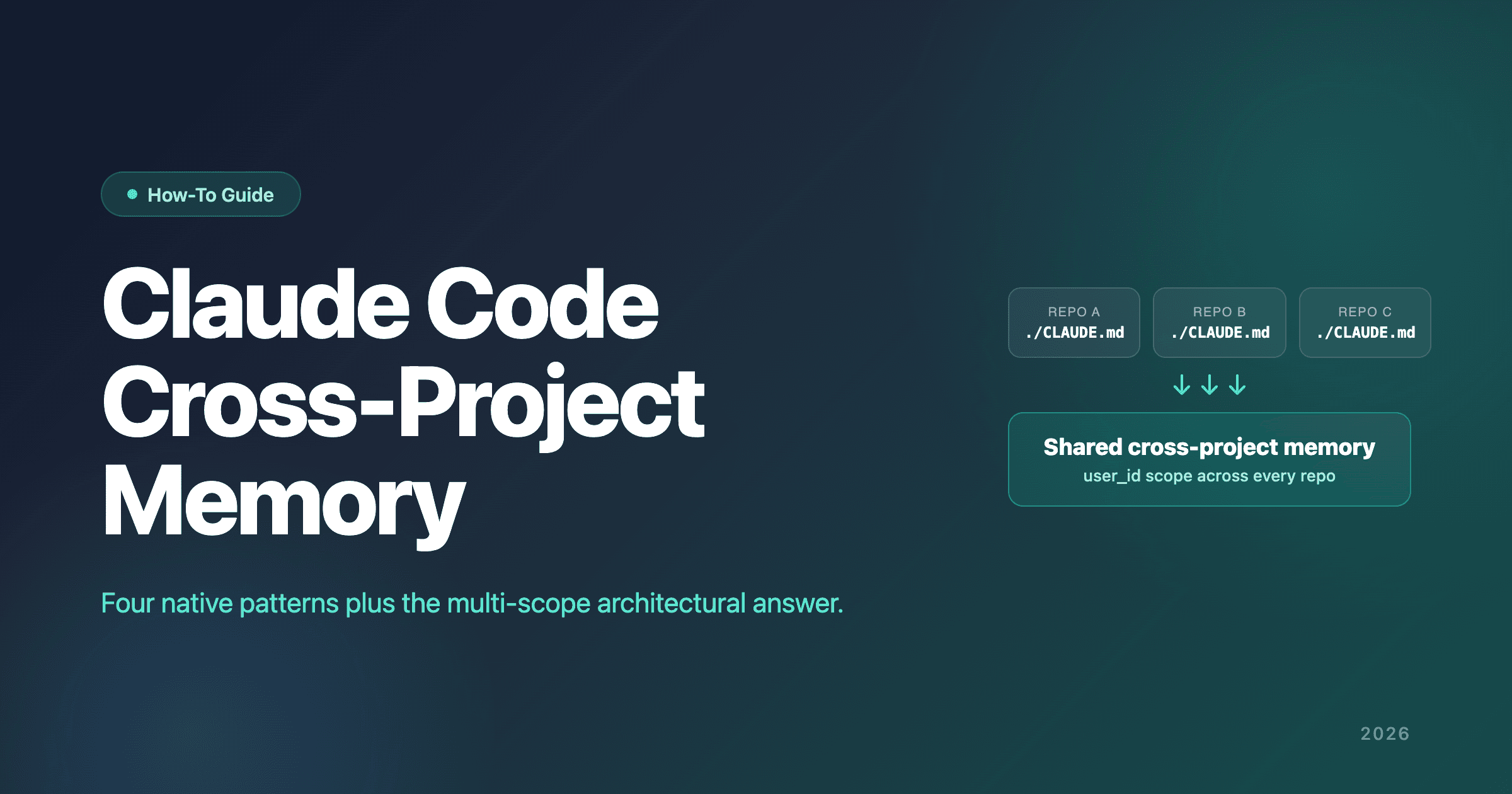
Anthropic's own GitHub repo has multiple feature requests asking for cross-project memory in Claude Code. Until that ships, here are the four working patterns developers use today — and the one structural answer that doesn't require workarounds.
Claude Code's Auto Memory is per-repository — memories captured in one repo aren't visible in another. Four native patterns provide partial workarounds: user instructions (~/.claude/CLAUDE.md), symlinked .claude/rules/, user-level ~/.claude/rules/, and the --add-dir flag with the CLAUDE_CODE_ADDITIONAL_DIRECTORIES_CLAUDE_MD environment variable. External memory backends with multi-scope architecture solve it structurally.
This article walks through every native pattern in equal depth, names when each is appropriate, shows how to combine them into a working stack, and covers the multi-scope architectural answer when native patterns aren't enough. If you've already accepted that Claude Code's per-repository Auto Memory is a limitation and you want concrete fixes, this is the article.
For the broader context of how Claude Code memory works overall, see the complete Claude Code memory guide.
Why Claude Code Memory Is Per-Repository by Default
Auto Memory's directory layout reveals the architectural choice. From Anthropic's official Claude Code memory docs: "Each project gets its own memory directory at ~/.claude/projects/<project>/memory/. The <project> path is derived from the git repository, so all worktrees and subdirectories within the same repo share one auto memory directory."
The design rationale is repository isolation. Auto Memory captures observations Claude makes during a session — build commands, architecture inferences, debugging insights, style preferences. Without isolation, a debugging insight from project A could surface incorrectly when you're working on project B's unrelated codebase. The per-repository default prevents cross-project pollution by construction.
The trade-off: cross-project insights stay trapped where they were captured. A pattern you spent two days debugging in project A doesn't surface when you hit a similar pattern in project B six weeks later. Anthropic's Dreams pipeline — the Research Preview consolidation primitive documented in the Managed Agents API — runs on one memory store at a time, merging duplicates, replacing stale or contradicted entries with the latest value, and surfacing new insights from session transcripts. Claude Code's Auto Dream integration (described by MindStudio) triggers Dreams automatically during idle periods. Both are real consolidation work — but because Dreams operates on a single memory store as input and Claude Code's auto-memory directory is per-repository, the pipeline doesn't bridge repositories either. Each project's memory store gets cleaned up in isolation.
Anthropic's own users have formally documented this gap. Open feature requests on the anthropics/claude-code repository name the limitation directly:
- Issue #36561: Global/shared memory across projects — closed as duplicate of an older configurable-memory-location request
- Issue #21854: Memory features: project-level, cross-project, and account-level persistence — closed as duplicate
Both issues were closed as duplicates rather than resolved. The gap is acknowledged in the issue tracker; the timeline for native cross-project Auto Memory is undefined.
Developers haven't waited. The four patterns below are what the practitioner community ships today — each with real trade-offs, each appropriate in specific situations. Then there's the structural answer that doesn't require any of them.
Pattern 1: User Instructions (~/.claude/CLAUDE.md)
The simplest cross-project layer. It's native, ships with Claude Code, and most developers underuse it.
What It Is
A markdown file at ~/.claude/CLAUDE.md that Claude reads at every session start, regardless of which project. Anything you put there applies across every Claude Code session on this machine. The official Claude Code memory docs describe it as "Personal preferences for all projects."
How to Set It Up
Zero tooling required. Create or edit the file:
# Create the directory if it doesn't exist
mkdir -p ~/.claude

# Edit user instructions
$EDITOR ~/.claude/CLAUDE.md
That's the entire setup. The file loads automatically on every Claude Code session start.
What to Put There
Personal universal preferences — anything you want to apply on every project, not project-specific conventions.
# Personal Claude Code Rules

## Package Management
- Always use pnpm, never npm or yarn
- Pin all dependencies to exact versions

## Code Style
- Prefer arrow functions over `function` declarations for non-method functions
- Use named exports, not default exports
- Co-locate tests with source files using `.test.ts` suffix

## Testing
- Use Vitest for new projects unless project already uses Jest
- Write tests for any function with non-trivial logic
- Run tests before suggesting commits

## Communication
- Keep commit messages under 72 characters in the title
- Use conventional commit format (feat:, fix:, chore:)
- Don't add commit body unless the change requires context
This is the kind of content that belongs in user instructions. It's stable, applies universally, and doesn't change often.
Trade-Offs
Pros:
- Native, zero setup, no tooling required
- Applies to every project automatically
- Loaded at every session start without user action
- File stays simple and stable
Cons:
- It's a document you maintain manually
- Auto Memory's automatic captures don't write here
- File can grow long; Anthropic recommends under 200 lines per CLAUDE.md
- No versioning beyond your own backup discipline
When This Pattern Is Enough
Solo developer, 1–5 projects, stable personal preferences, disciplined about writing rules down. If your situation matches, Pattern 1 alone handles cross-project preferences for most real cases. Don't reach for more complex patterns until Pattern 1 is genuinely insufficient.
Pattern 2: Symlinked .claude/rules/
For teams with shared conventions across multiple repos. Shared rules in a central directory, symlinked into each project's .claude/rules/ directory.
What It Is
Claude Code automatically reads .claude/rules/*.md files from each project and applies them as instructions. Anthropic's docs explicitly endorse this pattern: "The .claude/rules/ directory supports symlinks, so you can maintain a shared set of rules and link them into multiple projects."
By centralizing rule files in a shared directory and symlinking them into each project, the same rules propagate to every repo without manual copying.
How to Set It Up
# Create the shared rules directory (in version control or a shared filesystem location)
mkdir -p ~/code/shared/.claude/rules/

# Write shared rules as markdown files
cat > ~/code/shared/.claude/rules/typescript.md <<'EOF'
# TypeScript Conventions

- Use `interface` for object shapes, `type` for unions
- Prefer `unknown` over `any`; narrow with type guards
- Use `satisfies` operator for type-asserting object literals
EOF

cat > ~/code/shared/.claude/rules/testing.md <<'EOF'
# Testing Conventions

- One assertion per test where possible
- Test names describe behavior, not implementation
- Mock at the boundary, not in the middle
EOF

# Symlink into each project
cd ~/code/project-a
mkdir -p .claude
ln -s ~/code/shared/.claude/rules .claude/rules

cd ~/code/project-b
mkdir -p .claude
ln -s ~/code/shared/.claude/rules .claude/rules
You can also symlink individual files instead of whole directories:
ln -s ~/company-standards/security.md .claude/rules/security.md
Updates to files in ~/code/shared/.claude/rules/ propagate to every project that symlinks the directory or file.
What to Put There
Team conventions that apply across repos:
~/code/shared/.claude/rules/
├── typescript.md      # Team TypeScript conventions
├── testing.md         # Team testing conventions
├── git.md             # Commit message + PR rules
├── architecture.md    # Repository pattern, service layer
└── security.md        # Auth handling, secret management
Each file is a focused topic; Claude reads them all at session start (unless you scope them with paths frontmatter, in which case they only load when Claude touches matching files).
Trade-Offs
Pros:
- Native, scales across many repos
- Updates propagate automatically via symlinks
- Modular — one file per topic
- Version-control-friendly (the shared directory can be a git repo)
pathsfrontmatter lets you scope rules to specific file globs
Cons:
- Symlinks on Windows require Developer Mode or Administrator privileges
- Rule precedence gets unclear when many files overlap
- Doesn't help with Auto Memory's automatic captures
- Each device needs its own shared directory or sync mechanism
When This Pattern Is Enough
Teams with shared conventions across multiple repos, Linux or macOS environments (or Windows with Developer Mode), willing to maintain a shared rules directory. For organizations with consistent stack choices across projects, Pattern 2 is the right structural answer.
Pattern 3: User-Level ~/.claude/rules/
The cleanest modular cross-project pattern — and the one most developers don't know exists. Anthropic documents it directly.
What It Is
From the docs: "Personal rules in ~/.claude/rules/ apply to every project on your machine. Use them for preferences that aren't project-specific. User-level rules are loaded before project rules, giving project rules higher priority."
This is the modular alternative to stuffing everything into ~/.claude/CLAUDE.md. Instead of one growing user-instructions file, you maintain a directory of focused topic files that load on every project automatically.
How to Set It Up
mkdir -p ~/.claude/rules

cat > ~/.claude/rules/preferences.md <<'EOF'
# Personal Coding Preferences

- Use pnpm, never npm or yarn
- Prefer arrow functions over `function` declarations
- Co-locate tests with source files using `.test.ts`
EOF

cat > ~/.claude/rules/workflows.md <<'EOF'
# Personal Workflows

- Run tests before suggesting commits
- Use conventional commit format (feat:, fix:, chore:)
- Branch naming: `<type>/<short-description>`
EOF
That's it. Every Claude Code session loads these rules before project-specific rules apply.
What to Put There
Personal preferences split into focused topic files:
~/.claude/rules/
├── preferences.md    # Personal coding preferences
├── workflows.md      # Personal workflows
├── git.md            # Personal git conventions
├── testing.md        # Personal testing preferences
└── languages/
    ├── python.md     # Python preferences
    └── rust.md       # Rust preferences
Path-scoped rules (with paths: frontmatter) only load when Claude touches matching files — useful for language-specific preferences:
---
paths:
  - "**/*.py"
---

# Python Preferences

- Use uv, not pip directly
- Use ruff for formatting and linting
- Prefer dataclasses over plain dicts for structured data
Trade-Offs
Pros:
- Native, no symlinks required
- Modular and maintainable — one file per topic
- Path-scoping reduces context noise
- Load before project rules (project rules win on conflict — the right precedence)
Cons:
- Manual maintenance — Auto Memory captures don't write here
- Single-machine (no native sync across devices)
- Easy to lose to OS reinstalls if you don't back up
~/.claude/rules/
When This Pattern Is Enough
Solo developer with personal preferences worth modularizing, on a single machine, willing to maintain a directory of personal rule files. Pattern 3 is the cleanest native cross-project pattern for personal preferences — and it's surprisingly underused.
Pattern 4: --add-dir for One-Off Cross-Project Sessions
The least-documented native option. Useful for specific cross-project sessions rather than everyday cross-project memory.
What It Is
The CLAUDE_CODE_ADDITIONAL_DIRECTORIES_CLAUDE_MD=1 environment variable, combined with the --add-dir flag, lets Claude Code load CLAUDE.md, .claude/CLAUDE.md, .claude/rules/*.md, and CLAUDE.local.md from additional directories beyond the current project tree.
How to Set It Up
# Set the env var in your shell config
echo 'export CLAUDE_CODE_ADDITIONAL_DIRECTORIES_CLAUDE_MD=1' >> ~/.zshrc
source ~/.zshrc

# Start Claude Code with --add-dir to load context from an additional directory
claude --add-dir ~/code/shared-memory

# Multiple --add-dir flags work
claude --add-dir ~/code/shared-memory --add-dir ~/code/related-project
Each --add-dir directory contributes its CLAUDE.md and rules to the current session's context.
When This Helps
- Specific cross-project sessions where you need extra context one-off
- Loading project-specific context from a sibling directory without symlinking
- Temporary cross-project work where modifying the working project's setup isn't appropriate
Trade-Offs
Pros:
- Native, no symlinks required
- Flexible per-session — different sessions can load different additional directories
- No persistent setup required
Cons:
- Requires remembering the
--add-dirflag every session - Doesn't apply to Auto Memory's automatic captures
- Less ergonomic than symlinked rules for everyday use
- The env var name is unwieldy and the flag is easy to forget
When This Pattern Is Enough
Ad-hoc cross-project sessions, not your everyday cross-project memory solution. Pattern 4 is more useful as a tactical addition to Patterns 1–3 than as a primary approach.
Combining Patterns: The Practitioner Stack
Real workflows rarely use one pattern in isolation. The most common combination:
- Pattern 1 for personal universal preferences that work as a single file (
~/.claude/CLAUDE.mdwith your top-level style, tooling, and ritual preferences) - Pattern 2 for team conventions (symlinked
.claude/rules/with team-wide rules) - Pattern 3 for modular personal preferences (
~/.claude/rules/with language-scoped files) - Pattern 4 ad-hoc for specific cross-project sessions
The four patterns compose. Patterns 1 and 3 hold your personal universals (single-file or modular). Pattern 2 holds team-shared rules. Pattern 4 fills the gaps for one-off sessions.
For teams with shared conventions plus solo developers who maintain global memory hygiene, the four-pattern stack approaches a working cross-project memory system. Most developers who stick with native patterns end up here.
What the stack doesn't deliver: automatic cross-project capture. Auto Memory's writes still live per-repository. The stack handles intentional cross-project memory, not the kind Auto Memory generates in the background.
When Native Patterns Aren't Enough: The Multi-Scope Answer
The structural limit of all four native patterns: they're manual. You maintain ~/.claude/CLAUDE.md by hand. Symlinks require setup and discipline. User-level rules need ongoing curation. The --add-dir flag requires you to remember it.
Auto Memory captures automatically; it just captures in the wrong place (per-repository) for cross-project use. Anthropic hasn't shipped a fix for the gap; the open GitHub issues remain unresolved (closed as duplicates without a native feature shipping).
The Architectural Answer: Multi-Scope Memory
External memory backends with multi-scope architecture treat cross-project as a scope choice rather than a missing feature. The pattern:
- Memories are tagged with scope at write time:
user_id,agent_id,session_id,org_id - Retrieval composes scopes at query time
- A memory tagged
user_id=yousurfaces in every project where Claude Code queries it - A memory tagged
agent_id=project-astays project-bounded
This is structurally the correct model. Native Patterns 1–4 approximate it with manual workarounds; multi-scope memory delivers it as a first-class feature. The same Auto Memory observations that get trapped per-repository in native Claude Code can be captured at user_id scope in a multi-scope backend and surface across every project automatically.
Available Options
Two memory layers that ship multi-scope architecture and integrate with Claude Code via dedicated plugins:
- Hindsight
 — multi-scope architecture native. Install via the official plugin:
 claude plugin marketplace add vectorize-io/hindsightthenclaude plugin install hindsight-memory. Deployment-flexible: Hindsight Cloud (managed by Vectorize), self-hosted (MIT-licensed, one Docker command, embedded Postgres), or auto-managed localhindsight-embeddaemon viauvx. Multi-strategy retrieval (semantic + entity + temporal + graph traversal). 94.6% on LongMemEval — top officially reproduced result on the Agent Memory Benchmark leaderboard. - Mem0
 — hosted multi-scope option with a dedicated Claude Code plugin (
/plugin marketplace add mem0ai/mem0then/plugin install mem0@mem0-plugins). Largest community in the agent memory space.
For the head-to-head comparison of which fits your situation, see Claude Code memory vs Mem0 vs Hindsight. For the broader memory framework landscape, the comparison of all 8 major memory frameworks covers the full landscape.
How to Wire It Up
The integration architecture for Hindsight specifically lives in Hindsight as a second brain backend, with Claude Code as one of the three reference architectures. The short version:
- Install the official plugin:
claude plugin marketplace add vectorize-io/hindsightthenclaude plugin install hindsight-memory - Pick a deployment: Hindsight Cloud, your existing self-hosted server, or the auto-managed local daemon
- Configure the bank policy. The plugin's unit of sharing is the bank — and it defaults to one shared bank (
bankId: "claude_code",dynamicBankId: false) so every project uses the same bank out of the box. Cross-project memory is the default — no extra configuration required. FlipdynamicBankId: trueonly if you want per-project isolation (the plugin then derives a unique bank ID from the project directory). For explicit project→bank mapping (e.g., to share one bank across a specific set of repos), usedirectoryBankMap.
What changes: cross-project memory becomes automatic because every project writes to and reads from the same claude_code bank. The plugin auto-recalls relevant memories on every prompt and auto-retains conversation content after every response, so cross-project insights captured during sessions surface across every project you work on. The underlying API still supports user_id / agent_id / session_id scopes for finer-grained composition; the plugin abstracts that surface via bank selection.
What stays the same: ./CLAUDE.md per-project files, symlinked .claude/rules/, ~/.claude/rules/, and ~/.claude/CLAUDE.md all continue to work in parallel. The multi-scope layer composes underneath the native patterns rather than replacing them.
Common Mistakes
Patterns we see when developers try to extend Claude Code's cross-project memory:
Putting everything in ~/.claude/CLAUDE.md until the file becomes unreadable. The user-instructions file is a good place for stable personal preferences; it's a bad place for everything you've ever learned across every project. Anthropic recommends under 200 lines per CLAUDE.md. Use ~/.claude/rules/ (Pattern 3) for modular personal rules instead.
Symlinking too aggressively until rule precedence is unclear. The .claude/rules/ pattern works well when shared rules are intentional and limited. When every project symlinks every rule, the rules conflict; figuring out which rule won in a given session becomes guesswork.
Building a custom global-memory git-sync system from scratch before evaluating whether existing patterns or plugins already solve it. Memory plugins (Hindsight, Mem0) ship cross-project memory as a feature in minutes; rolling your own is a multi-week project for what already exists.
Forgetting the --add-dir flag in sessions that need it. Pattern 4 only helps if you remember to use it. Some developers set up shell aliases or wrapper scripts to default to common additional directories.
Treating cross-project memory as a solo problem when it's really a team coordination problem. If your team has shared conventions, Pattern 2 plus good written documentation often beats individual-tool fixes. Cross-project memory is sometimes a documentation problem in disguise.
Skipping the /memory command to verify what's actually loaded in any given session. The single most common debugging step nobody takes. Anthropic's own troubleshooting docs lead with this. If "Claude isn't remembering," check /memory first — most of the time the memory file isn't loading.
Conclusion
Claude Code's per-repository Auto Memory is the design choice that causes the most procurement-stage frustration for developers working across multiple codebases. The closed-as-duplicate GitHub issues (#36561, #21854) confirm Anthropic's users want a fix; until that ships, the four native patterns handle a lot of cases, and the multi-scope architectural answer handles the rest.
Three things to remember:
-
Try the native patterns first. Pattern 1 alone solves more than most developers realize. Pattern 2 handles team conventions. Pattern 3 is the underused modular personal layer. Don't reach for external infrastructure until native genuinely isn't enough.
-
Combine patterns into a stack that fits your workflow. The practitioner stack (1+2+3 with Pattern 4 as needed) approaches a working cross-project memory system for many real cases.
-
When workarounds aren't enough, multi-scope memory backends deliver the architectural answer. Hindsight and Mem0 both ship multi-scope architecture and official Claude Code plugins; the choice between them depends on your deployment preferences. The complete Claude Code memory guide covers the broader memory landscape; the head-to-head comparison walks through which fits your situation.
For the broader context on how Claude Code memory works and the documented limits Anthropic's users have flagged, the complete Claude Code memory guide is the starting point. For the integration architecture showing how external memory layers compose under Claude Code, Hindsight as a second brain backend covers the Claude Code architecture in depth. For the foundational concepts of agent memory and learning across sessions, what is agent memory and do AI agents learn between sessions cover the underlying primitives.
FAQ
How do I make Claude Code remember across projects?
Four native patterns work today: (1) user instructions at ~/.claude/CLAUDE.md for personal preferences; (2) symlinked .claude/rules/ for team conventions; (3) user-level ~/.claude/rules/ for modular personal rules; (4) the --add-dir flag with the CLAUDE_CODE_ADDITIONAL_DIRECTORIES_CLAUDE_MD env var for ad-hoc cross-project sessions. For automatic cross-project memory without manual workarounds, an external memory backend with multi-scope architecture is the structural answer.
Does Claude Code have global memory?
Partially. ~/.claude/CLAUDE.md and ~/.claude/rules/*.md are the closest native global layers — Claude reads them at every session start regardless of project. But they're documents you write by hand; Auto Memory's automatic captures don't write there. For automatic global memory, you need an external memory backend.
Can I share Claude Code rules between repos?
Yes, via Pattern 2 (symlinked .claude/rules/). Put shared rule files in a central directory, then symlink that directory (or individual files) into each project's .claude/rules/. Updates propagate automatically. This is the standard pattern for teams with shared conventions across multiple repos, and Anthropic's docs explicitly support it.
What is ~/.claude/CLAUDE.md?
The user-instructions file Claude Code reads at every session start, regardless of which project you're working in. It's the native cross-project layer for personal preferences. You maintain it manually with whatever rules you want applied universally.
What is ~/.claude/rules/?
A directory of modular personal rule files that apply to every project on your machine. Each .md file covers a focused topic. User-level rules load before project rules, giving project rules higher priority on conflict. It's the cleanest native modular cross-project pattern for personal preferences.
How do I sync Claude Code memory across devices?
There's no native cross-device sync. Some developers put ~/.claude/rules/ or a shared rules directory in a git repo and pull on session start (a shell init hook works). For automatic cross-device sync without git discipline, a hosted external memory backend (Hindsight Cloud or Mem0) or a self-hosted backend on a shared server (Hindsight self-hosted) handles it without manual sync.
Why doesn't Auto Memory work across projects?
Auto Memory stores captures at ~/.claude/projects/<project>/memory/ — keyed by the git repository. The design rationale is repository isolation (a debugging insight from project A shouldn't surface incorrectly in project B's unrelated codebase). The trade-off is that legitimate cross-project insights stay trapped where they were captured. Anthropic's GitHub issues #36561 and #21854 track the open feature request for cross-project Auto Memory; both are closed as duplicates without the feature shipping.
What is account-level memory in Claude Code?
"Account-level" is the framing used in Anthropic's GitHub issue #21854 — memory that persists at the user/account level rather than per-project. Native Claude Code doesn't ship this today; the issue was closed as a duplicate. ~/.claude/CLAUDE.md and ~/.claude/rules/ are the closest native equivalents for personal preferences but aren't destinations for Auto Memory's automatic captures.
What is the --add-dir flag in Claude Code?
A command-line flag that, combined with the CLAUDE_CODE_ADDITIONAL_DIRECTORIES_CLAUDE_MD=1 environment variable, lets Claude Code load CLAUDE.md, .claude/CLAUDE.md, .claude/rules/, and CLAUDE.local.md from additional directories beyond the current project tree. Useful for ad-hoc cross-project sessions where you need extra context one-off.
Should I use symlinks or ~/.claude/rules/ for cross-project memory?
Different problems. Symlinks (Pattern 2) handle shared team rules across many repos — updates propagate automatically when team members change the shared directory. ~/.claude/rules/ (Pattern 3) is for your personal preferences across every project on your machine. Most developers use both: symlinked rules for team conventions plus user-level rules for personal preferences.
When should I use an external memory framework instead of native patterns?
When the symptoms of native limitations become consistent: you're constantly re-explaining context that should be remembered, MEMORY.md is past its 200-line / 25 KB startup load window, vocabulary mismatch in index-based retrieval misses real memories, or maintaining the four-pattern stack across many projects breaks down. The head-to-head comparison covers which external backend fits which situation. Hindsight is the multi-scope option with the official plugin and 94.6% LongMemEval accuracy; Mem0 is the alternative with the largest community in the agent memory space.
Next reads: the complete Claude Code memory guide for the full memory system explainer, Claude Code memory vs Mem0 vs Hindsight for the head-to-head backend comparison, Hindsight as a second brain backend for the Claude Code integration architecture, and the comparison of all 8 major memory frameworks for the broader landscape.