Hindsight as a Second Brain Backend (Integration Guide)
Most "AI + Obsidian" tutorials describe the same recipe — vector-embed your vault, retrieve chunks, generate a response — and call the result a second brain. It isn't. It's RAG over your notes. The substack piece on this is titled exactly: "Stop Calling It Memory: The Problem with Every 'AI + Obsidian' Tutorial." The author is right.
A real second brain needs a memory backend that does what your vault can't: capture observations during AI sessions, auto-consolidate them into higher-order beliefs, reconcile contradictions over time, and serve the synthesized result back to the AI on the next request. Hindsight is designed for that role. This guide walks through how to wire it up behind Obsidian, Claude Code, or a custom UI.
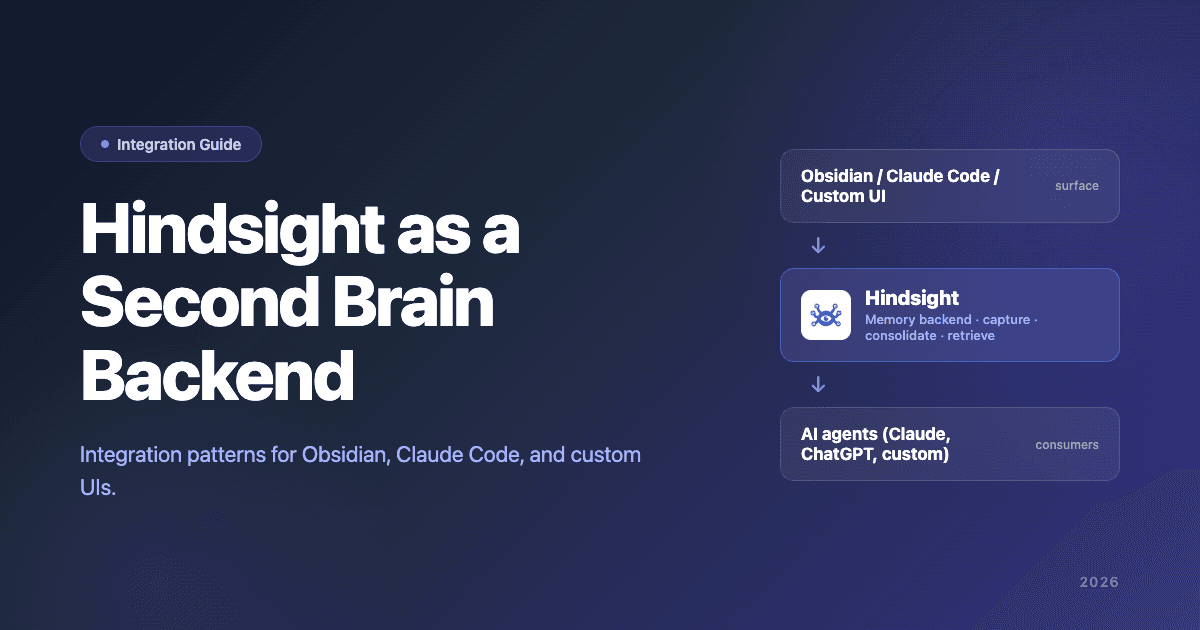
The keyword: behind. Hindsight is not a replacement for your vault, your IDE, or your chat interface. It's the memory layer that sits underneath whatever surface you already use, so the AI you're working with actually learns from session to session instead of starting fresh each time.
What This Guide Covers
Three reference architectures, in order of how many BASB practitioners use them today:
- Obsidian + Hindsight — keep your vault as the human surface; Hindsight as the memory backend
- Claude Code + Hindsight — Claude Code as the agent surface; Hindsight handles cross-project memory
- Custom UI + Hindsight — your own chat or app frontend; Hindsight as the memory API
Plus the architectural decisions that apply to all three (what to capture, how to scope, how to retrieve), the production considerations (latency, deployment options), and the migration path from existing setups.
Why Hindsight Specifically (Brief, Then We Move On)
Quick justification, then this article is about implementation not pitch.
Hindsight is a memory layer designed around auto-consolidating observations and refreshing mental models — the architectural primitive that turns capture-and-retrieval into actual learning. It hits 94.6% retrieval accuracy on LongMemEval — the top officially reproduced result on the Agent Memory Benchmark leaderboard, the de-facto benchmark for long-context agent memory. The comparison of all 8 major memory frameworks covers the full positioning; for the foundational concepts underneath, see what is agent memory. For this guide, the relevant properties are: it does the consolidation step (most alternatives don't, or do it shallowly), it has two first-class deployment options to fit different teams, and it has a clean API for integration.
The two deployment options matter for this guide:
- Hindsight Cloud is managed by Vectorize. Claude Code uses the official Hindsight plugin —
claude plugin install hindsight-memoryafter adding the marketplace — which is the recommended setup. Cursor and ChatGPT have dedicated integrations with their own walkthroughs; Claude Desktop and Windsurf connect via native OAuth 2.1 (RFC 7591) with no setup beyond an OAuth login. No ops overhead. This is the default for most individual BASB practitioners and most teams. - Hindsight self-hosted runs entirely on your machine or your infrastructure with embedded Postgres (pg0). MIT-licensed, Ollama-compatible, one Docker command. The right fit for data sovereignty, air-gapped environments, or privacy-sensitive use cases.
Both deliver the same retrieval accuracy and the same architectural primitives (auto-consolidation, refreshing mental models). The choice is about who runs the infrastructure, not what the system can do.
If you've evaluated alternatives (Mem0, Zep, Letta, Cognee, SuperMemory) and chosen one of those, most of the architectural patterns in this guide still apply — swap the Hindsight API calls for your chosen layer's equivalents.
Architecture 1: Obsidian + Hindsight
The recommended path for existing BASB practitioners. Your Obsidian vault stays the human surface. Hindsight runs underneath as the memory layer that AI agents (Claude, ChatGPT, custom) read from and write to.
The Topology
┌────────────────────────────────────┐
│  Obsidian vault                    │
│  (human-curated notes, .md files)  │
│  + Hindsight Obsidian plugin       │
│    - one-way vault sync            │
│    - grounded chat panel           │
└─────────────────┬──────────────────┘
                  │
                  │ (plugin → Hindsight API,
                  │  one-way: vault → memory)
                  │
┌─────────────────▼──────────────────┐
│  Hindsight                         │
│  - Bank: "obsidian" (default)      │
│  - Observation capture             │
│  - Retrieval / chat API            │
│  (Cloud or self-hosted)            │
└─────────────────┬──────────────────┘
                  │
                  │ (memory query / write API)
                  │
┌─────────────────▼──────────────────┐
│  AI agents (Claude, ChatGPT,       │
│  Claude Code, custom integrations) │
└────────────────────────────────────┘
Three flows happen:
-
Vault → Hindsight (ingestion). The official Hindsight Obsidian plugin (currently in beta) syncs your vault one-way into a Hindsight bank. Edits trigger upserts, deletes remove documents, and content hashing prevents re-processing unchanged notes. Auto-tagging by vault name, folder hierarchy, and timestamps comes for free; vault frontmatter
tagsandaliasesare preserved. -
Agent ↔ Hindsight (interaction). Two surfaces share the same bank. Inside Obsidian, the plugin's grounded chat panel answers questions over your notes with collapsible citations. Outside Obsidian, any MCP-capable agent (Claude Code, Claude Desktop, Cursor, Windsurf, ChatGPT) or direct API consumer can query the same data.
-
Hindsight → Hindsight (consolidation). On the Hindsight side, accumulated observations across all sources can be consolidated into higher-order mental models that reconcile contradictions over time. Note: at the time of writing, the Obsidian plugin itself doesn't create mental models — that's listed on the plugin roadmap. Consolidation still applies to observations written via the broader Hindsight API.
The Setup
The minimum viable setup:
1. Pick a deployment. For most individual BASB users, Hindsight Cloud is the simplest path — sign up, point the plugin at https://api.hindsight.vectorize.io with your API key, done. For air-gapped or sovereignty-sensitive setups, you can run the Hindsight API locally: pip install hindsight-all, set HINDSIGHT_API_LLM_API_KEY=your-openai-key, then hindsight-api. Both options expose the same API to the plugin.
2. Install the Obsidian plugin. The plugin (vectorize-io/hindsight-obsidian) is in beta and ships through BRAT, the community beta plugin manager. Add the repo vectorize-io/hindsight-obsidian in BRAT, then enable the plugin under Settings → Community plugins. Configure: API URL (default https://api.hindsight.vectorize.io), API key, bank name (default obsidian), optional include/exclude folders, sync on edit (default on), default chat depth (default low — this is a Reflect budget setting), and remember conversations (default off — chat conversations aren't stored unless you opt in). Use the plugin commands as needed: Sync vault now for a full reconciliation, Ingest current note to force-sync the active note, Open chat to launch the grounded chat panel.
3. Wire your agents to Hindsight. For Claude Code, install the official Hindsight plugin (claude plugin marketplace add vectorize-io/hindsight then claude plugin install hindsight-memory) — it auto-recalls relevant memories on every prompt and writes new observations back to the same obsidian bank the Obsidian plugin populates. For Cursor and ChatGPT, use the dedicated integration walkthroughs; for Claude Desktop and Windsurf, the Hindsight Cloud OAuth flow handles connection automatically. For agent-framework integrations, bind one of the 40+ official packages (LangGraph, LlamaIndex, CrewAI, AutoGen, OpenAI Agents SDK, Claude Agent SDK, Google ADK, Vercel AI SDK, etc.). For fully custom integrations, wire prompt construction to call the memory-query step before the LLM call and a memory-write step after.
4. Define scope policy. For a personal second brain, the simple policy is user_id=you for everything. If you'll later add other people or other agents, structuring scopes from the start saves migration cost. See the single brain article for the multi-scope pattern.
A note on sync direction: per the docs, the plugin is one-way (Obsidian → Hindsight). It does not write back to your vault. If you want a session insight saved as a note, you save it in Obsidian yourself; the plugin will then pick it up on the next sync.
What Changes for You
The vault stays the same. You write notes as you always did. The CODE workflow (Capture, Organize, Distill, Express) — the BASB framework Tiago Forte recently re-launched for the AI era — remains intact.
What's different: agents that connect to your Hindsight bank now have grounded context about your notes, and the in-Obsidian chat panel answers questions over the same corpus with citations back to the source notes. Observations written through agent sessions (via MCP or the direct API) accumulate alongside the synced vault, and the broader Hindsight consolidation pass can synthesize them into higher-order beliefs. The Obsidian plugin itself doesn't surface mental models yet — that's on the roadmap — so for now the in-vault experience is grounded chat plus one-way sync, while richer consolidation lives on the Hindsight side.
Architecture 2: Claude Code + Hindsight
For developers using Claude Code as their primary AI surface. Hindsight handles cross-project memory — what Claude Code's per-project memory cannot.
The Topology
┌──────────────────────────────────────┐
│  Claude Code (project workspace)     │
│  - CLAUDE.md per project             │
│  - .claude/rules/                    │
│  - Auto memory (per-project)         │
└──────────────────┬───────────────────┘
                   │
                   │ (cross-project queries
                   │  via Hindsight MCP)
                   │
┌──────────────────▼───────────────────┐
│  Hindsight                           │
│  - Cross-project observations        │
│  - Personal preferences              │
│  - Pattern consolidation             │
│  (Cloud via OAuth, or self-hosted)   │
└──────────────────────────────────────┘
Claude Code already has strong per-project memory: CLAUDE.md, .claude/rules/, and auto-memory tracked locally per project. What it doesn't have: cross-project memory. Your preference for a particular code style, the patterns you've established across multiple projects, your team's conventions that apply everywhere — these don't have a clean home in the per-project memory primitives.
Hindsight fills this gap. Claude Code sessions query Hindsight for cross-project context; observations from any session can write back to the cross-project layer.
The Setup
1. Install the Hindsight plugin for Claude Code. This is the recommended path. From a Claude Code shell:
claude plugin marketplace add vectorize-io/hindsight
claude plugin install hindsight-memory
The plugin handles three things automatically: auto-recall (queries Hindsight on every user prompt and injects relevant memories as invisible context), auto-retain (extracts and stores conversation content after each response), and MCP knowledge tools (Claude can read, write, and search its own memory). It also scaffolds a subagent skill backed by an isolated memory bank when you need one. Sync is one-way from Claude Code to Hindsight, matching the Obsidian plugin's convention.
2. Pick a deployment. The plugin is deployment-flexible. For most individual developers, point it at Hindsight Cloud — sign in once, no infrastructure to run. For sovereignty-sensitive setups, point it at an existing self-hosted Hindsight server. If you'd rather not run anything yourself or sign up for Cloud, the plugin can auto-manage a local hindsight-embed daemon via uvx with an LLM provider API key. All three modes expose the same memory API to Claude.
3. Decide what's project-scoped vs cross-scoped. Project-specific conventions stay in CLAUDE.md and per-project auto-memory. Cross-project patterns — personal style, team-wide conventions, recurring preferences — go to Hindsight.
4. Optionally connect to a vault. If you also keep an Obsidian vault, both Architecture 1 and Architecture 2 can share the same Hindsight backend. The vault is one input source; Claude Code sessions are another. Hindsight serves the consolidated memory back to whichever agent is asking.
What This Solves
The pattern Claude Code users hit repeatedly: I told it about my convention in project A; now I'm in project B and it doesn't know. The cross-project layer is what makes the AI feel like a working partner across your work, not a brilliant amnesiac that boots fresh in every repo.
For the full picture of how Claude Code memory works natively and where the limits actually bite, see the complete Claude Code memory guide. For the four native workaround patterns that solve cross-project without an external backend, see the cross-project memory guide. For the head-to-head decision between native, Mem0, and Hindsight as Claude Code memory backends, see the backend comparison.
Architecture 3: Custom UI + Hindsight
For teams building their own second-brain frontend — a custom chat app, a knowledge UI, an internal tool.
The Topology
┌─────────────────────────────────────┐
│  Custom UI                          │
│  (your chat, your dashboard,        │
│   your knowledge app)               │
└─────────────────┬───────────────────┘
                  │
                  │ (memory API calls)
                  │
┌─────────────────▼───────────────────┐
│  Hindsight                          │
│  - Capture / consolidate / retrieve │
│  - Per-user scope                   │
│  (Cloud or self-hosted)             │
└─────────────────────────────────────┘
                  │
                  │ (LLM provider)
                  │
┌─────────────────▼───────────────────┐
│  Claude / GPT / open model          │
└─────────────────────────────────────┘
This is the cleanest architecture from an integration standpoint: your UI talks to Hindsight directly, retrieves memory before LLM calls, writes observations after. No vault, no Claude Code dependency.
The Setup
1. Pick a deployment. Hindsight Cloud is the fast path for teams shipping a product — Vectorize manages the infrastructure, you call an API. Hindsight self-hosted is the right pick if you need data sovereignty, want to run in your own VPC, or have regulatory requirements that managed services can't meet.
2. Wire memory queries into your prompt construction. Before sending a user message to the LLM, call Hindsight's retrieval API with the appropriate scopes (user, session, app). Inject the returned memories into the system prompt.
3. Wire memory writes after each response. Extract observations from the session — explicitly stated facts, inferred preferences, decisions — and write them back via Hindsight's API with appropriate scopes.
4. Use Hindsight's consolidation defaults, or tune them. The auto-consolidation pass runs in the background; for most use cases, defaults are appropriate. For high-volume applications, the consolidation cadence and merge thresholds are configurable.
This pattern is what powers most Hindsight production deployments. Cloud-hosted is the dominant choice; self-hosted is the right pick when the data has to stay in your infrastructure.
The Architectural Decisions That Apply to All Three
Across all three architectures, the same questions need answers.
What to Capture
Three categories worth distinguishing:
- Explicit captures: the user (or an agent acting on their behalf) explicitly says "remember this." Highest signal, lowest volume.
- Inferred captures: the system extracts observations from sessions automatically — preferences expressed implicitly, patterns the user repeats, corrections they make. Medium signal, medium volume.
- Trace captures: full session traces for later analysis. Low signal per item, very high volume. Useful for offline consolidation; rarely retrieved directly.
Most Hindsight integrations use all three. The consolidation layer is what makes the high-volume trace data useful — without it, traces are just storage.
How to Scope
For a personal second brain, scope user_id=you is sufficient. For a setup that may grow into a team or shared scenario, the scope dimensions to plan for from day one: user_id, agent_id (if multiple agents will share memory), session_id (for ephemeral session-scoped memories that age out), app_id or project_id (for project-bounded memories). The single brain article covers the multi-scope pattern in depth.
How to Retrieve
Three retrieval strategies, available in parallel. These map onto the episodic, semantic, and procedural memory categories codified by Princeton's CoALA framework — the taxonomy underneath most modern memory layers including Hindsight.
- Semantic: vector similarity over embedded observations
- Entity-based: matches on specific entities the query mentions (people, projects, products)
- Temporal: filters by recency for "current" vs "historical" queries
Hindsight runs these in parallel and reranks. For most queries, the default ranking works. For specialized retrieval (e.g., "what was the most recent decision about X"), explicit temporal weighting helps.
Latency
For personal second brain workloads, latency rarely matters. The LLM call itself is hundreds of milliseconds to seconds; an additional 50ms retrieval round-trip is invisible. For multi-agent or production workloads, hot-path retrieval should target under 100ms. Hindsight Cloud is engineered for sub-100ms retrieval at production load; the self-hosted embedded-Postgres deployment hits this easily for single-user load and scales with standard Postgres tuning.
Deployment Topology
For personal second brains, the deciding factor between Cloud and self-hosted is often where you want the data to live and how much ops you want to do.
- Hindsight Cloud is the default for most users: managed by Vectorize, OAuth-native for MCP clients, no infrastructure to run, sub-100ms retrieval. Vectorize sees the API calls but the data architecture is designed for tenant isolation.
- Hindsight self-hosted is the right pick when you need full data sovereignty (the LLM provider still sees the prompts; that's true with any setup, but the long-term memory store stays entirely on your hardware), air-gapped operation, or regulated-industry deployment.
For most personal second brains, Cloud is the simpler choice. For users in regulated industries, or those who explicitly prefer not to send memory data to a managed service, self-hosting is a meaningful property of the architecture — and it's the same API and same accuracy on the same benchmarks.
Migration: From Existing PKM Setups
Three common starting points and what the migration looks like.
From Obsidian-only
Add Hindsight as a backend layer; keep the vault. Architecture 1 above. The vault keeps doing what it did; the AI agents that were previously stateless are now informed by what's in the vault plus what they observe in sessions.
Migration cost: minutes for Hindsight Cloud setup (OAuth login + point at vault); hours for self-hosted if you're running Docker for the first time. Ongoing operational cost is approximately zero for Cloud and the cost of one Postgres container for self-hosted.
From a Memory-Enabled Chat (ChatGPT Memory, Claude memory)
Hindsight can ingest what's exportable from the existing system as a baseline corpus, then run going forward as the memory layer. The existing memory feature can stay on or be turned off — your choice depending on whether you want to consolidate to one source.
Migration cost: more involved, depends on how much existing memory you want to bring over. For most users, starting fresh with Hindsight and letting it accumulate over weeks is simpler than batch-migrating.
From a Different Memory Framework (Mem0, Zep, Letta)
The frameworks expose different memory schemas; direct migration scripts don't typically exist out of the box, but Hindsight's import API can ingest exported observations from most alternatives. The consolidation pass on the imported corpus may produce different mental models than the original system did — this is a feature, not a bug, since Hindsight's consolidation is one of the reasons people switch.
Migration cost: a few days for a serious cutover; running both in parallel for a transition period is the lowest-risk pattern.
Common Mistakes During Integration
The patterns we see repeatedly when teams wire Hindsight (or any memory layer) as a second brain backend.
Capturing too much, too early. Better to start by capturing only explicit "remember this" instructions and a small set of inferred patterns. Expand to fuller capture once the consolidation behavior is understood.
No write-back loop. Reading from Hindsight without writing to it works for one session and degrades from there. The whole point of the architecture is that the agent's session contributes back to the memory.
Treating Hindsight as a chat history store. Chat history is one signal among many. Don't dump entire transcripts as memories — extract the durable observations and discard the rest. Hindsight's storage works either way; quality of retrieval is much better with extracted observations.
Skipping the consolidation tuning step. Defaults are reasonable but not optimal for every use case. Once you have 1000+ observations, check the consolidation behavior and tune merge thresholds if needed.
Ignoring the scope dimensions until later. As above — even for personal use, planning the scope schema from the start is cheaper than retrofitting if the system grows.
Picking the deployment based on the wrong criterion. Don't choose Cloud or self-hosted on accuracy or feature grounds — they're the same on both axes. Choose Cloud for managed simplicity, self-hosted for data sovereignty. Both are first-class.
Conclusion
A second brain backend's job is to do what your vault and your chat interface can't: capture observations during sessions, consolidate them into higher-order beliefs, reconcile contradictions, and serve the synthesized result back to the AI on the next request. Hindsight is built for that role. The integration patterns above cover the three most common surface layers — Obsidian, Claude Code, custom UI — and the architectural decisions transfer to other surfaces too.
Three things to remember:
- Hindsight is a backend, not a surface. Keep your existing PKM tool, your IDE, your chat UI. Hindsight slots underneath them.
- Cloud and self-hosted are equal first-class options. Same API, same 94.6% LongMemEval accuracy, same architectural primitives. Cloud is the default for most teams; self-hosted is the right pick for data sovereignty.
- The three architectures share more than they differ. Capture, scope, retrieve, consolidate — these are the same patterns regardless of frontend.
For the broader category context, see the brain stack overview. For the "what makes a second brain actually learn" discussion, the AI second brain that actually learns article covers the Five Tests. For the decision between second brain and company brain, the dedicated guide walks through which to build. For platform comparison if you're still choosing, the comparison of all 8 major memory frameworks walks through alternatives.
FAQ
What is Hindsight? Hindsight is an agent memory framework with auto-consolidating observations and refreshing mental models. It comes in two first-class options: Hindsight Cloud (managed by Vectorize, with 40+ dedicated integrations including an official Claude Code plugin, dedicated Cursor and ChatGPT setups, plus native OAuth 2.1 for Claude Desktop and Windsurf) and Hindsight self-hosted (MIT-licensed, embedded Postgres, one Docker command). Both deliver 94.6% retrieval accuracy on LongMemEval. It's designed to be the memory layer underneath whatever surface (vault, chat, IDE) you're already using.
Cloud or self-hosted — which should I use? For most individuals and teams, Cloud is the simpler choice — Vectorize manages the infrastructure, you log in via OAuth and your MCP-capable agents connect immediately. Self-hosted is the right pick for data sovereignty requirements, air-gapped environments, or regulated industries where the memory store has to stay entirely on your infrastructure. The architecture, API, and retrieval accuracy are the same.
Do I have to use Obsidian to use Hindsight as a second brain? No. Architectures 2 (Claude Code) and 3 (custom UI) don't involve Obsidian. Hindsight is surface-agnostic. Obsidian is the most common frontend for BASB practitioners; it's not required.
Can I use Hindsight with ChatGPT memory enabled? Yes, but consider whether you want two memory layers. ChatGPT memory is scoped to your OpenAI account and doesn't integrate with anything else; Hindsight is your own layer with cross-tool integration. Most users running both end up consolidating to one — usually Hindsight, since it's the layer they can integrate across surfaces.
How is this different from "RAG over my Obsidian vault"? RAG over a vault is search-with-extra-steps — it retrieves relevant chunks of your existing notes. Hindsight does that plus captures observations during sessions, consolidates them into higher-order beliefs, and reconciles contradictions over time. The substack post "Stop Calling It Memory" makes the distinction concrete: most "AI + Obsidian" tutorials are RAG; few are memory. Hindsight is the memory layer.
Does Hindsight require GPU resources? No. Hindsight Cloud handles all infrastructure. Self-hosted runs on commodity hardware — the embedded Postgres deployment fits on a laptop. Embedding generation happens via an external embedding API (your choice of provider) or locally via a small embedding model. For personal use, a laptop is sufficient for self-hosted; Cloud needs nothing locally.
Which MCP clients work with Hindsight Cloud?
Claude Code has a dedicated official plugin (claude plugin install hindsight-memory) — that's the recommended path. Cursor and ChatGPT have their own dedicated integration walkthroughs (also Perplexity and Gemini Spark). Claude Desktop and Windsurf connect via native OAuth 2.1 (RFC 7591); connect once and the client reads from and writes to your Hindsight memory automatically.
What's the easiest way to set up Hindsight in Claude Code?
Use the official Hindsight plugin for Claude Code. From a Claude Code shell, run claude plugin marketplace add vectorize-io/hindsight then claude plugin install hindsight-memory. The plugin auto-recalls relevant memories on every prompt, auto-retains conversation content after each response, and exposes MCP knowledge tools so Claude can read and write its own memory. It works against Hindsight Cloud, an existing self-hosted server, or an auto-managed local hindsight-embed daemon.
How long does the consolidation pass take to start showing benefit? For light personal use (10-30 observations per day), meaningful consolidation typically appears after the first 100-200 observations — around two to three weeks of consistent use. Heavier use shortens this; lighter use lengthens it. The mental models that emerge stabilize and refine over the first one to two months.
What if I want to switch to a different memory framework later? Hindsight's data is in PostgreSQL with documented schema; the observations and beliefs are exportable. Migrating to Mem0, Zep, Letta, or another framework is feasible — the cost is in matching their schema, not in extracting data from Hindsight. The comparison of all 8 major memory frameworks covers the alternatives.
Further Reading
- Claude Code memory: complete guide — the full native memory system Architecture 2 builds on
- Claude Code cross-project memory — the native patterns Hindsight composes underneath
- Claude Code memory vs Mem0 vs Hindsight — backend comparison for the Architecture 2 decision
- The brain stack: second, company, and single brain explained — the broader category
- AI second brain that actually learns — the architectural rationale
- Second brain vs company brain — decision guide
- How to build a company brain for AI agents — the org-scoped version
- Single brain for multi-agent systems — the multi-scope architecture
- Best AI agent memory systems — platform comparison
- Hindsight vs Mem0, Hindsight vs Zep — head-to-head comparisons