Claude Code Memory: Complete Guide to Persistence
Claude Code has more memory features than its critics give it credit for — and more limits than its users realize until they hit them. This is the complete guide.
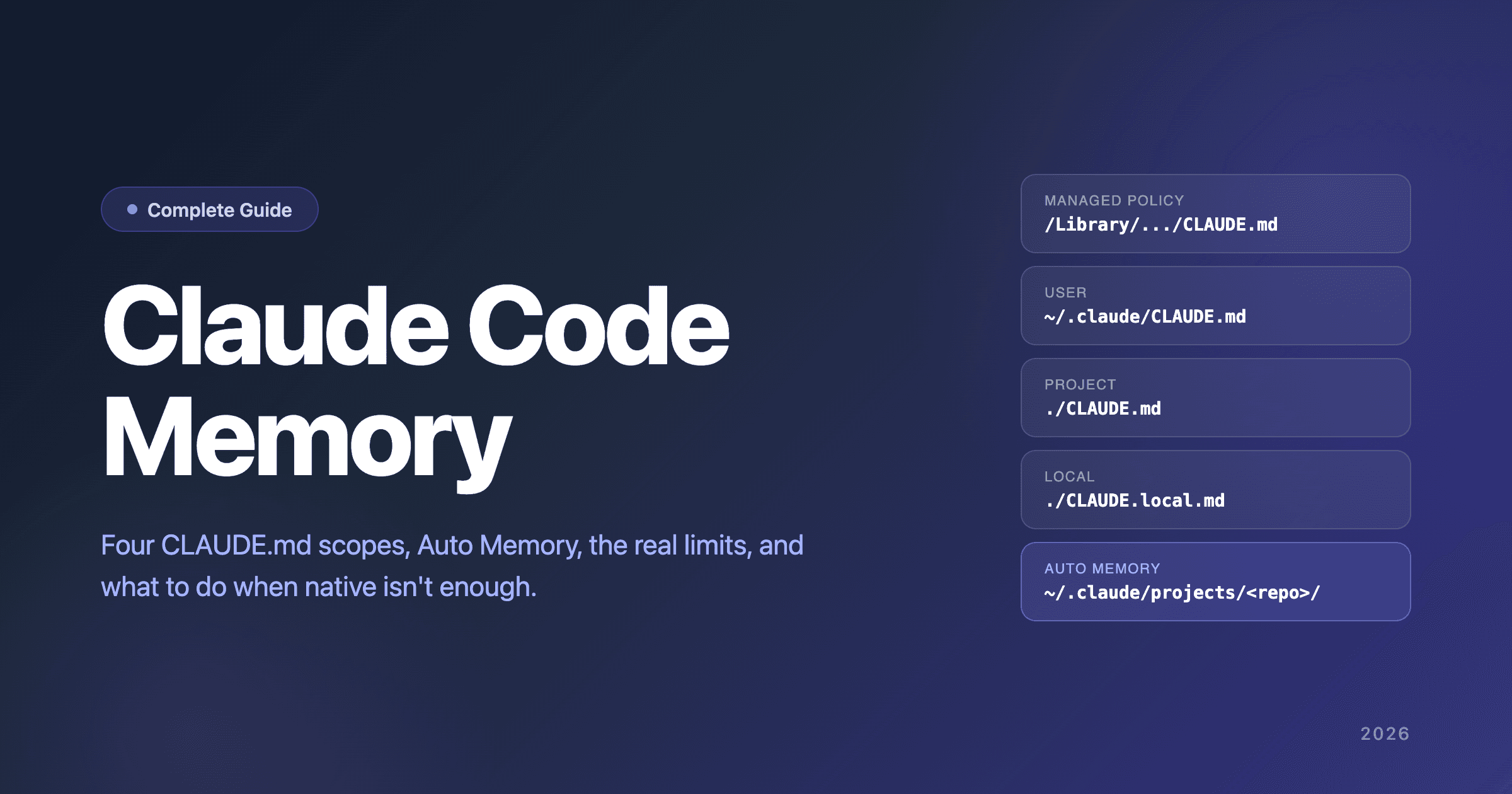
- Four CLAUDE.md scopes: managed policy, user instructions (
~/.claude/CLAUDE.md), project instructions (./CLAUDE.mdor./.claude/CLAUDE.md), and local instructions (./CLAUDE.local.md) - Auto Memory writes notes the model decides to keep into
~/.claude/projects/<project>/memory/ MEMORY.mdis the always-loaded index — first 200 lines or 25 KB, whichever comes first- Per-repository by default, and reads
MEMORY.mdplus topic files via standard file tools — not via semantic vector retrieval
If you closed Claude Code yesterday only to re-explain the same context this morning, you're either underusing the native system or hitting one of its real limits. This article walks through every layer of Claude Code's memory in depth, names the limits explicitly with citations to Anthropic's own docs and GitHub issues, covers the native workarounds developers have shipped, and shows when an external memory backend is the architecturally honest answer.
The article is structured native-first, external-bridge second. Most readers will solve their problem somewhere in the first half. If you don't, the second half covers what to do instead.
How Claude Code Memory Actually Works
Anthropic ships more memory infrastructure with Claude Code than most users exploit. The system has four CLAUDE.md scopes, an Auto Memory subsystem that captures session learnings, a consolidation pipeline built on Anthropic's Dreams primitive that reorganizes those captures, a MEMORY.md index file that anchors the auto-memory directory, and a /memory command for managing the whole thing. The official Claude Code memory documentation is the canonical reference for the documented memory surface; Dreams is documented as a Research Preview in Anthropic's Managed Agents API, and the Claude Code CLI integration that runs Dreams automatically — often called Auto Dream — is described in MindStudio's coverage. This section unpacks how the pieces fit together.
The Four CLAUDE.md Scopes
Per Anthropic's docs, CLAUDE.md files can live in four scopes, listed from broadest to most specific:
-
Managed policy — organization-wide instructions deployed by IT/DevOps. On macOS:
/Library/Application Support/ClaudeCode/CLAUDE.md. Linux/WSL:/etc/claude-code/CLAUDE.md. Windows:C:\Program Files\ClaudeCode\CLAUDE.md. Applied to every session for every user on the machine. Not all teams use this; for individual developers it's invisible. -
User instructions —
~/.claude/CLAUDE.md. Your personal preferences across all projects ("always use pnpm, not npm"; "prefer functional components over class components"; "write tests in Vitest"). This is the native cross-project layer for personal preferences — read at every session start regardless of project. -
Project instructions —
./CLAUDE.mdor./.claude/CLAUDE.md. Team-shared project-specific conventions, build commands, architectural decisions, codebase quirks. Auto-discovered as Claude walks up the directory tree from your current working directory. -
Local instructions —
./CLAUDE.local.md. Personal project-specific preferences (sandbox URLs, preferred test data) that should be gitignored. Loads alongsideCLAUDE.mdat the project root and is treated the same way.
The load mechanic matters: Claude walks up the directory tree from your working directory collecting CLAUDE.md and CLAUDE.local.md files; in subdirectories, files load on demand when Claude reads files in those directories. All discovered files are concatenated into context. Anthropic recommends targeting under 200 lines per CLAUDE.md to keep adherence high.
You can also import additional files with @path/to/file syntax — handy for splitting a long CLAUDE.md without losing modularity. Imported files load at launch, so they still consume context.
.claude/rules/ for Path-Scoped Instructions
For larger projects, Anthropic recommends .claude/rules/*.md for modular instructions. Rules without paths frontmatter load at session start; rules with paths frontmatter load only when Claude touches files matching the glob. The .claude/rules/ directory supports symlinks — the primitive that makes shared team conventions practical across many repos.
Auto Memory (Claude Writes Notes For Itself)
Auto Memory is the subsystem that lets Claude accumulate knowledge across sessions without you writing anything. It requires Claude Code v2.1.59 or later and is on by default. Toggle it via /memory or set autoMemoryEnabled in your project settings.
Where memories live: ~/.claude/projects/<project>/memory/, where <project> is derived from the git repository. All worktrees and subdirectories within the same repo share one auto-memory directory. Outside a git repo, the project root is used instead.
The directory contains a MEMORY.md entrypoint that acts as an index, plus optional topic files Claude creates as it works:
~/.claude/projects/<project>/memory/
├── MEMORY.md          # Concise index, loaded into every session
├── debugging.md       # Detailed notes on debugging patterns
├── api-conventions.md # API design decisions
└── …                  # Any other topic files Claude creates
What gets captured: build commands, debugging insights, architecture notes, code style preferences, workflow habits. Claude decides what to record based on whether it would be useful in a future conversation — it does not save something every session. You can also ask Claude to remember something directly in conversation ("remember: this project uses Bun, not Node"); Claude saves it to auto memory.
Auto memory is machine-local. Files are not shared across machines or cloud environments unless you sync the directory yourself.
Dreams and Auto Dream
The consolidation half of Claude Code's memory story is built on a primitive Anthropic documents directly. Dreams is a Research Preview feature in Anthropic's Managed Agents API. Per the official docs: "Agents write to their memory stores as they work, but these writes are local and incremental: over many sessions a memory store accumulates duplicates, contradictions, and stale entries. Dreams let Claude clean that up. A dream reads an existing memory store alongside past session transcripts, then produces a new, reorganized memory store: duplicates merged, stale or contradicted entries replaced with the latest value, and new insights surfaced."
Three properties of the documented primitive matter for the Claude Code memory story:
- One memory store + 1–100 sessions in, one new memory store out. The input store is never modified — Anthropic's docs note "you can review the output and discard it if you don't like the result." Dreams runs on a single memory store at a time.
- Asynchronous job. Dreams "typically take minutes to tens of minutes depending on input size," moving through
pending→running→completed/failed/canceled. An optionalinstructionsfield (4,096-character limit) lets callers steer the synthesis. - Research preview status. Required beta headers are
managed-agents-2026-04-01anddreaming-2026-04-21. Supported models during the preview:claude-opus-4-8,claude-opus-4-7, andclaude-sonnet-4-6. Default rate limits apply.
Auto Dream is the Claude Code CLI integration that runs the Dreams pipeline automatically over the auto-memory directory. The Claude Code-side wrapper is described in MindStudio's coverage, which characterizes the user-visible behavior as three operations on the memory layer:
- Pruning — removing information that's outdated, irrelevant, or superseded
- Merging — combining duplicate or overlapping entries into a single, accurate record
- Refreshing — updating context that's stale but still relevant
That description maps cleanly to the Dreams primitive's documented behavior: "duplicates merged, stale or contradicted entries replaced with the latest value, and new insights surfaced." The Claude Code CLI handles when to trigger Dreams; the Dreams pipeline does the actual consolidation work.
When it runs: per the MindStudio piece, "AutoDream activates during idle periods — when Claude Code detects that you're not actively working" — around session closure and longer breaks during a session. The trigger is automatic and doesn't interrupt active work.
Scope boundary: the integration operates only on the memory layer Claude Code manages — CLAUDE.md at project, folder, and global scopes, plus the auto-memory directory. It does not modify project source code, configs, or any files outside the memory layer.
Mechanism: per the same MindStudio reporting, "AutoDream isn't running simple search-and-replace logic; it's evaluating the semantic relevance of stored context." The pattern is modeled loosely on sleep-based memory consolidation — capture during active sessions, offline processing during idle periods. Under the hood, the actual processing is the Dreams pipeline Anthropic documents.
Auto Memory captures raw observations; the Dreams pipeline merges duplicates, replaces stale or contradicted entries with the latest value, and surfaces new insights from session transcripts. The two together are the consolidation half of Claude Code's memory story, in the way MEMORY.md plus topic files are the storage half.
How MEMORY.md Is Loaded
This is the important mechanic. At the start of every conversation, Claude loads the first 200 lines of MEMORY.md, or the first 25 KB, whichever comes first. Content beyond that threshold is not loaded at session start. Claude keeps MEMORY.md concise by moving detailed notes into separate topic files (debugging.md, patterns.md, etc.) which are not loaded at startup but read on demand using its standard file tools.
The 200-line/25 KB limit applies only to MEMORY.md. CLAUDE.md files are loaded in full regardless of length (though shorter files produce better adherence).
The /memory Command
/memory is the management entry point. From the command you can:
- See which CLAUDE.md, CLAUDE.local.md, and rules files are loaded in the current session
- Toggle Auto Memory on or off
- Open the auto-memory folder for the current project
- Pick any memory file and edit it directly
Most Claude Code users haven't actually run /memory to verify what's loaded. If you're hitting context issues, that's the first diagnostic.
Memory Lifecycle in a Real Session
Here's what happens end-to-end:
Session start:
- Claude walks the directory hierarchy collecting CLAUDE.md and CLAUDE.local.md files (managed policy → user → ancestor directories → working directory)
.claude/rules/*.mdwithoutpathsfrontmatter load at launch- The first 200 lines / 25 KB of
MEMORY.mdfrom the auto-memory directory load - All of the above are concatenated into context
During the session:
- You work normally — read code, edit, run commands, debug
- Claude reads topic files from the auto-memory directory on demand using its standard file tools
- Claude writes new observations to auto memory when it decides something is worth remembering ("Writing memory" / "Recalled memory" in the UI)
Session end / idle periods:
- Auto Memory's captures persist to disk in the project's memory directory
- CLAUDE.md files are unchanged unless you edited them
- The Claude Code CLI's Auto Dream integration may trigger Anthropic's Dreams pipeline during idle periods or after session closure — merging duplicates, replacing stale or contradicted entries with the latest value, and surfacing new insights from session transcripts into a reorganized memory store
Next session:
- The cycle repeats. The new session loads everything that persisted, including any new auto-memory captures from yesterday
This is a meaningful memory system. For the right use case it works. The question is what "the right use case" actually means — which is where the limits come in.
For the broader context of how persistent memory enables agent learning, see how AI agents actually learn and do AI agents learn between sessions.
The Real Limits
Claude Code's memory has several real limits that experienced users hit consistently. Anthropic acknowledges most of them — they're documented in the page itself, the /memory help text, and the GitHub issue tracker. They're not hidden, but they're not collected in one place either. They are here.
Limit 1: MEMORY.md Startup Cap (200 Lines or 25 KB)
The MEMORY.md index file at ~/.claude/projects/<project>/memory/MEMORY.md has a documented startup load cap: only the first 200 lines or 25 KB load into every session. Content beyond that threshold isn't injected at startup. Claude's documented mitigation is to keep MEMORY.md concise and move detailed notes into topic files which it reads on demand.
The failure mode: as a project accumulates auto-memory entries, MEMORY.md grows past 200 lines and older entries fall outside the auto-loaded window. The files themselves still exist in the directory, and Claude can still read them on demand if it knows they exist — but if the relevant index pointer has scrolled past the load window, the topic file may not surface when you need it.
Native workaround: keep MEMORY.md curated. Periodically prune index entries that refer to topic files Claude rarely needs, or restructure so the index points to the most-active topics. For long-lived projects with deep accumulated memory, this becomes ongoing work.
Limit 2: Index-Based, Not Semantic Retrieval
Claude Code's auto-memory retrieval is not vector semantic search. The startup load is MEMORY.md (capped). On-demand reads happen when Claude decides a topic file is relevant and uses its standard file tools to open it. That decision is driven by what's in the always-loaded index, the current conversation, and pattern matching — not by an embedding similarity query against the full corpus.
The implication: if your debugging.md topic file talks about "docker-compose port mapping" and you ask Claude about "port conflicts," whether Claude opens the topic file depends on whether the index entry or conversation context bridges those phrasings. There's no semantic fallback. Every note needs to be written with the future query's vocabulary in mind, or it won't surface.
Native workaround: write MEMORY.md index entries and topic-file headings with synonym-heavy phrasing ("port mapping, port conflicts, networking issues, docker compose ports") to maximize the chance of matching whatever query comes later. This works but it's vocabulary inflation as a defense mechanism — fragile and unsustainable as the corpus grows.
Limit 3: Per-Repository Memory (No Native Cross-Project Auto Memory)
Auto Memory is per-repository. The directory layout (~/.claude/projects/<project>/memory/) is keyed by the git repository of the project you're working in. All worktrees and subdirectories within the same repo share one auto-memory directory — but a memory captured in repository A isn't visible when you're working in repository B.
Anthropic's own users have formally documented this gap. Open feature requests on the anthropics/claude-code repo include:
- Issue #36561: Global/shared memory across projects — closed as duplicate of a configurable-memory-location request
- Issue #21854: Memory features: project-level, cross-project, and account-level persistence — closed as duplicate
Both issues were closed as duplicates of older feature-request threads. The gap is acknowledged in the issue tracker, but a native cross-project Auto Memory feature has not shipped as of this writing.
The ~/.claude/CLAUDE.md user-instructions file is the closest native cross-project layer, but it's a document you write by hand — not a destination for Auto Memory's automatic captures. Cross-project insights captured by Auto Memory in repository A stay in repository A.
Native workarounds exist (covered below). They're real but limited.
Limit 4: Dreams Runs Per Memory Store, Not Across Scopes
Anthropic's Dreams API docs are explicit about what the pipeline does to one memory store: "duplicates merged, stale or contradicted entries replaced with the latest value, and new insights surfaced." That's real consolidation work — including latest-value replacement when entries contradict.
The architectural gap for Claude Code memory lives one level up. The Dreams primitive operates on one memory store at a time: the input store plus 1–100 sessions in, one new memory store out. Combined with Claude Code's per-repository Auto Memory directory layout (~/.claude/projects/<project>/memory/), this means each project's memory directory gets consolidated in isolation. Insights captured in repository A's memory store get cleaned up inside repository A; the Dreams pipeline doesn't bridge across repositories, agents, or users — because the API surface doesn't expose those scopes as inputs to a single dream.
A concrete example. Three weeks ago, working in repository A, Claude captured "user prefers concise commit messages." This week, working in repository B on a complex multi-service refactor, you've been writing detailed multi-paragraph commit messages and Auto Memory captures the new pattern there. A Dreams pass over either store will clean up that store's contents — but the two observations live in two different memory stores in two different per-project directories. There's no Dreams call that reads both stores at once to reconcile them into a multi-scope mental model ("concise for routine work, detailed for complex changes") that surfaces in every project.
The honest framing: Dreams handles per-memory-store cleanup well — dedup, latest-value replacement, surfacing new insights from session transcripts. The architectural gap for cross-project, cross-user, cross-agent agent context lives one level up. Dreams runs on one memory store at a time; multi-scope mental models that reconcile across user_id / agent_id / session_id / org_id scopes are the architectural primitive that platforms layered on top of Claude Code can add. For some workflows the per-store Dreams pass is enough. For developers working across many repos or many agents, the inability to reconcile across stores means Claude's behavior still shifts inconsistently between projects — and they experience it as "Claude forgot what I told it" even when each project's memory store is itself well-consolidated.
Native Workarounds: When You Don't Need Anything Else
Honest steel-man section. Most articles about Claude Code memory push external solutions immediately. They shouldn't. For many real workflows, the native system plus a couple of disciplined patterns is enough.
Pattern A: User Memory + Project Memory
The simplest cross-project setup. Use ~/.claude/CLAUDE.md for personal rules that apply everywhere: package managers, code style, testing conventions, naming preferences. Use ./CLAUDE.md per project for project-specific conventions: stack quirks, build steps, deployment ritual.
This handles a lot of cases. A solo developer working on 1–3 projects with stable conventions and discipline about writing things down manually rarely needs more than this.
When this is enough: single developer, narrow project count, stable conventions, willing to write CLAUDE.md by hand.
Pattern B: Symlinked .claude/rules/
For teams with shared conventions across multiple repos, the .claude/rules/ directory is the right primitive. Anthropic's docs explicitly support this: "The .claude/rules/ directory supports symlinks, so you can maintain a shared set of rules and link them into multiple projects." Put common rules into a shared directory (in version control or a shared filesystem location), then symlink that directory (or individual files) into each project's .claude/rules/.
Updates to the shared rules propagate to all repos without manual copying.
When this is enough: teams with shared conventions, project structure that supports symlinks (Windows requires Developer Mode or admin), willingness to maintain a shared rules directory.
Pattern C: User-Level ~/.claude/rules/
A pattern documented by Anthropic that gets surprisingly little attention: ~/.claude/rules/*.md applies to every project on your machine. From the docs:
~/.claude/rules/
├── preferences.md    # Your personal coding preferences
└── workflows.md      # Your preferred workflows
User-level rules load before project rules, giving project rules higher priority on conflict. This is a cleaner alternative to stuffing everything into ~/.claude/CLAUDE.md for personal-but-modular cross-project memory.
When this is enough: solo developer or very small team, willing to maintain a modular set of personal rules in ~/.claude/rules/, on a single machine.
Pattern D: --add-dir for One-Off Cross-Project Sessions
Set CLAUDE_CODE_ADDITIONAL_DIRECTORIES_CLAUDE_MD=1 and use claude --add-dir <path> to load CLAUDE.md, .claude/CLAUDE.md, .claude/rules/*.md, and CLAUDE.local.md from additional directories beyond the current project tree. Useful when you need context from a sibling project without symlinking or restructuring.
When this is enough: ad-hoc cross-project sessions, not your everyday memory solution.
When Native Plus Workarounds Is Enough
The honest picture:
- Single developer, 1–5 projects, stable conventions, manual discipline about writing things down → Pattern A usually suffices
- Small team with shared conventions, willing to maintain
.claude/rules/→ Pattern B handles it - Solo developer with a modular set of personal rules → Pattern C is cleaner than a giant
~/.claude/CLAUDE.md - One-off cross-project work → Pattern D is the right tactical tool
If your situation matches, save the external-memory-backend investment for when you actually need it.
For the full step-by-step on each pattern, see the cross-project memory guide.
When You Need More: External Memory Backends
The symptoms that signal native plus workarounds isn't enough:
- You're constantly re-explaining context that "should" be remembered, even though you've added it to CLAUDE.md
MEMORY.mdis past 200 lines and important index entries are scrolling out of the startup-load window- You need semantic recall that index-based retrieval can't surface ("what was that port issue from last month?")
- Multiple developers need consistent cross-project context that symlinked rules can't deliver
- You're maintaining 5+ projects and rules-symlink discipline is breaking down
- Observations contradict across sessions, and Claude's behavior shifts inconsistently as different notes surface
If multiple symptoms apply, an external memory backend is the architectural answer.
The External Memory Backend Pattern
Claude Code remains your agent surface. An external memory layer handles the persistence, semantic retrieval, and consolidation work that the native system doesn't.
Architecture:
┌─────────────────────────────────────────┐
│  Claude Code (your IDE/agent surface)   │
│  - ./CLAUDE.md (project)                │
│  - ~/.claude/CLAUDE.md (user)           │
│  - .claude/rules/                       │
│  - Auto Memory (per-repo)               │
└──────────────────┬──────────────────────┘
                   │
                   │ auto-recall on every prompt;
                   │ auto-retain after every response
                   │
┌──────────────────▼──────────────────────┐
│  External memory backend                │
│  - Cross-project observations           │
│  - Semantic + multi-strategy retrieval  │
│  - Auto-consolidation, mental models    │
└──────────────────────────────────────────┘
The native system continues to handle project-scoped concerns (project conventions in ./CLAUDE.md, personal preferences in ~/.claude/CLAUDE.md). The external backend handles what native doesn't — cross-project semantic retrieval and consolidation.
Available Options
Hindsight 
A memory layer designed around the architectural gaps in Claude Code's native system. The official Hindsight plugin (claude plugin marketplace add vectorize-io/hindsight then claude plugin install hindsight-memory) handles auto-recall on every prompt and auto-retain after every response, plus MCP knowledge tools for read/write/search and a subagent skill backed by an isolated memory bank. Multi-scope architecture (user_id, agent_id, session_id, org_id) means cross-project is a scope choice rather than a missing feature: tag memories at user_id scope and they surface across every project; tag at agent_id scope to keep them project-bounded. Multi-strategy retrieval (semantic + entity + temporal + graph traversal) directly addresses the index-only limitation. Auto-consolidating observations and refreshing mental models reconcile across scopes — the architectural layer above Dreams's per-store cleanup.
Deployment-flexible: Hindsight Cloud (managed by Vectorize), an existing self-hosted Hindsight server, or an auto-managed local hindsight-embed daemon via uvx — all three modes expose the same memory API. MIT licensed. 94.6% on LongMemEval — top officially reproduced result on the Agent Memory Benchmark leaderboard.
Mem0 
Hosted memory layer with a dedicated Claude Code plugin (/plugin marketplace add mem0ai/mem0 then /plugin install mem0@mem0-plugins). Strong community — Mem0 has the largest community in the agent memory space. Mature SDK with Python and JavaScript support. Trade-off: per-request pricing at scale, less depth on the consolidation layer (memory updates vs Hindsight's auto-consolidating observations + mental models), and an independent evaluation measured Mem0 at 49.0% on LongMemEval — a meaningful gap.
Other Memory Frameworks
Zep (temporal knowledge graph), Letta (OS-inspired memory blocks), Cognee (knowledge graph), SuperMemory (bundled memory + RAG + user profiles) all integrate with Claude Code via SDK. See the comparison of all 8 major memory frameworks for the full landscape.
Architecture Comparison
The side-by-side, organized by dimension:
| Feature | Native Claude Code | Hindsight | Mem0 |
|---|---|---|---|
| Cross-project memory | Manual workarounds (user CLAUDE.md, symlinked rules, --add-dir) | Native (multi-scope) | Native (multi-scope) |
| Semantic retrieval | Index-based startup load + on-demand file reads | Multi-strategy (semantic + entity + temporal + graph) | Vector semantic search (+ graph on Pro) |
| Storage cap | MEMORY.md startup load capped at 200 lines / 25 KB | None | None |
| Consolidation | Anthropic Dreams (merge duplicates, latest-value replacement, surface new insights) — runs per memory store | Auto-consolidating observations + cross-scope mental models | Memory updates on write |
| Self-host | N/A (it's local files) | One Docker command, MIT license; or auto-managed local daemon via uvx | OSS option available |
| Setup complexity | Zero (built in) | Plugin install + pick a deployment | Plugin install + sign up for hosted (or self-host OSS) |
| Claude Code integration | Native | Official plugin (vectorize-io/hindsight) | Official plugin (mem0ai/mem0) |
| Published LongMemEval | N/A | 94.6% (AMB-reproduced) | 49.0% (independent evaluation) |
Native Claude Code is the right answer if you're inside the use cases Patterns A/B/C/D cover. Hindsight and Mem0 are right when you're outside them. Pick the one whose trade-offs match your deployment.
For the head-to-head between native, Mem0, and Hindsight, see the Claude Code memory backend comparison.
How to Wire Hindsight Into Claude Code
For developers who've decided an external backend makes sense and want the implementation walkthrough.
Architecture
Hindsight runs in one of three modes — Hindsight Cloud (managed by Vectorize), an existing self-hosted server you operate, or an auto-managed local hindsight-embed daemon via uvx. The Claude Code session queries Hindsight via the plugin's auto-recall hook on every user prompt; session content writes back via auto-retain after every response. Multi-scope policy keeps each memory tagged with the right scope:
user_id=youfor personal cross-project memories (your style preferences, recurring patterns across all your work)agent_id=<project>for project-bounded memories (project-specific conventions that shouldn't leak)session_idfor ephemeral memories that should age out
Setup (Three Commands, Then Pick a Mode)
# In a Claude Code shell
claude plugin marketplace add vectorize-io/hindsight
claude plugin install hindsight-memory
That installs the official Hindsight plugin. Then pick a deployment:
- Hindsight Cloud — sign in once, no infrastructure. The default for most individuals and teams without specific data-sovereignty requirements.
- Self-hosted Hindsight — point the plugin at your existing server (
hindsightApiUrl). The right fit for air-gapped, regulated, or privacy-sensitive setups. MIT-licensed; runs entirely on your machine or infrastructure with embedded Postgres (pg0). - Auto-managed local daemon — leave the API URL empty; the plugin manages
hindsight-embedlocally viauvxwith an LLM provider API key for fact extraction. Useful when you want zero infrastructure but also don't want to sign up for Cloud.
All three modes expose the same memory API to Claude.
What Changes For You
Day 1: not much yet — Hindsight has no memories to retrieve. Your sessions feel the same.
Day 5: you've worked on three projects across the week. Hindsight has captured roughly 40–80 observations across them. The cross-project ones (your preference for early returns over nested conditionals, your habit of writing tests before refactors) start surfacing in projects where you didn't originally express them.
Day 30: Hindsight has hundreds of observations. The consolidation pass has rolled them into higher-order beliefs about your work style, your conventions, your debugging patterns. Claude Code sessions open with a much richer context than CLAUDE.md alone provides.
Day 60: the system surfaces patterns you didn't realize you had. "You consistently prefer Vitest over Jest for new projects; this one is on Jest. Was that intentional?" Hindsight's auto-consolidation found the contradiction between your usual pattern and the current project's setup.
What Stays The Same
Anthropic's native memory continues to work in parallel. Your ./CLAUDE.md files still hold project conventions. Your .claude/rules/ symlinks still propagate shared rules. Auto Memory still captures session learnings in ~/.claude/projects/<project>/memory/. Hindsight layers underneath for the cross-project, semantic, and consolidation work native doesn't do.
For the broader pattern of using Hindsight as a memory backend across multiple frontends (Obsidian, Claude Code, custom UIs), see Hindsight as a second brain backend — Claude Code is one of the three reference architectures.
Common Mistakes
The patterns we see when developers try to extend Claude Code's memory:
Stuffing everything into ~/.claude/CLAUDE.md until the file becomes unreadable. The user-instructions file is a good place for personal preferences. It's a bad place for everything you've ever learned across every project. The file becomes long, adherence drops, and conflicts emerge. Use ~/.claude/rules/ for modular personal rules instead.
Symlinking everything everywhere until rule precedence is unclear. The .claude/rules/ pattern works well when shared rules are intentional and limited. When every project symlinks every rule, the rules conflict; figuring out which rule won in a given session becomes guesswork.
Building a custom git-sync system before evaluating whether existing memory plugins would have solved the problem in an hour. Building cross-project memory from scratch is a multi-week project for what existing memory frameworks ship in an afternoon.
Not running /memory to verify what's loaded. The most common debugging step nobody takes. Run /memory in your active session; verify CLAUDE.md, rules, and Auto Memory files are loading as you expect. Anthropic's own troubleshooting docs lead with this. Most "Claude isn't remembering" problems are "Claude isn't loading the memory file" problems.
Assuming Auto Memory means full memory. Auto Memory captures notes Claude decides are worth keeping; it doesn't lift Claude Code to a different memory architecture. It's still per-repository, still index-based at startup, still subject to the 200-line / 25 KB cap on MEMORY.md.
Conclusion
Claude Code ships more memory infrastructure than most users exploit — four CLAUDE.md scopes, Auto Memory's background captures, the Auto Dream CLI integration that runs Anthropic's Dreams pipeline over the accumulated memory layer (per MindStudio's coverage of the CLI-side wrapper), the .claude/rules/ modular instruction system, the /memory command. It also has real limits — the 200-line/25 KB startup cap on MEMORY.md, index-based rather than semantic retrieval, per-repository scope by default, and Dreams's per-memory-store operation surface (which means consolidation happens within each project's memory store but doesn't bridge across user_id / agent_id / session_id / org_id scopes). Anthropic's own GitHub issues (#36561, #21854) confirm the cross-project gap is acknowledged in the issue tracker; both were closed as duplicates of older feature requests.
Three takeaways:
-
Most Claude Code users haven't fully exploited the native system. Start there. Patterns A–D (user + project memory, symlinked rules, user-level rules,
--add-dir) handle a lot of real workflows without any external infrastructure. -
The limits are real and documented. When you hit them, you hit them — the symptoms are unambiguous (re-explaining context,
MEMORY.mdpast its load window, vocabulary mismatch missing topic files, inconsistent behavior across sessions). -
When you need cross-project semantic retrieval and consolidation depth, external memory backends fill the gap. Hindsight is the multi-scope option with the official Claude Code plugin and 94.6% LongMemEval accuracy, deployable as Cloud, self-hosted, or auto-managed local daemon. Mem0 is the alternative with the largest community in the agent memory space. The comparison of all 8 major memory frameworks covers the broader landscape.
For the architectural rationale of why memory matters at all, see how AI agents actually learn and do AI agents learn between sessions. For the integration deep-dive showing how Hindsight wires under Claude Code, Hindsight as a second brain backend walks through the architecture with code. For the broader brain-stack context (personal vs organizational scope), the brain stack overview covers the category.
FAQ
How does Claude Code memory work?
Claude Code reads memory from four CLAUDE.md scopes at session start: managed policy, user instructions (~/.claude/CLAUDE.md), project instructions (./CLAUDE.md or ./.claude/CLAUDE.md), and local instructions (./CLAUDE.local.md). It also auto-captures session learnings to ~/.claude/projects/<project>/memory/ via Auto Memory; the MEMORY.md index loads at startup (first 200 lines or 25 KB) and topic files load on demand. The /memory command manages what's loaded.
What is CLAUDE.md?
A markdown file that gives Claude persistent instructions for a project, your personal workflow, or your entire organization. Claude reads CLAUDE.md at session start and treats the contents as context. The file location determines scope: ./CLAUDE.md is project-specific; ~/.claude/CLAUDE.md applies across all projects.
Does Claude Code remember between sessions?
Yes, via two mechanisms. CLAUDE.md files are read at every session start, so anything written there persists indefinitely. Auto Memory captures session learnings to ~/.claude/projects/<project>/memory/ and loads them next session (MEMORY.md index at startup; topic files on demand). Both mechanisms are per-repository by default.
Can Claude Code remember across multiple projects?
Natively, only partially. The ~/.claude/CLAUDE.md user-instructions file is the cross-project layer for personal preferences, but it's a document you write manually — Auto Memory's automatic captures don't go there. For automatic cross-project memory, you need either manual workarounds (symlinked rules, user-level ~/.claude/rules/, --add-dir) or an external memory backend like Hindsight that supports multi-scope memory natively. Anthropic's GitHub issues #36561 and #21854 document the gap; both were closed as duplicates.
What is Auto Memory in Claude Code?
Auto Memory is the feature (Claude Code v2.1.59 or later) that captures session learnings automatically to ~/.claude/projects/<project>/memory/. It records build commands, debugging insights, architecture notes, code style preferences, and workflow habits — only when Claude decides the information would be useful in a future conversation. Enabled by default; toggle via /memory or autoMemoryEnabled in settings.
What is Auto Dream? Auto Dream is Claude Code's CLI integration that runs Anthropic's Dreams pipeline automatically over the auto-memory layer in the background. Dreams is the underlying API primitive — a Research Preview feature documented in Anthropic's Managed Agents API that "reads an existing memory store alongside past session transcripts, then produces a new, reorganized memory store: duplicates merged, stale or contradicted entries replaced with the latest value, and new insights surfaced." Auto Dream is the Claude Code-side wrapper that triggers Dreams automatically during idle periods, as described in MindStudio's coverage. The CLI handles when to run the pipeline; the Dreams API handles the consolidation work itself. Both operate only on the memory layer — not on project source code.
What is the MEMORY.md index in Claude Code?
MEMORY.md is the entrypoint Claude maintains in the auto-memory directory. At session start, the first 200 lines or 25 KB (whichever comes first) load into context. It indexes topic files (debugging.md, api-conventions.md, etc.) which Claude reads on demand using its standard file tools. Claude keeps MEMORY.md concise by moving detailed notes into topic files.
What are the limits of Claude Code memory?
Real limits to be aware of: (1) MEMORY.md has a 200-line / 25 KB startup load cap; (2) retrieval at startup is index-based, not vector-semantic, so vocabulary mismatch can miss topic files; (3) Auto Memory is per-repository, so memories don't cross repositories natively; (4) Dreams (the Anthropic API primitive that powers Auto Dream) consolidates one memory store at a time — it handles dedup, latest-value replacement, and surfacing new insights within a store, but doesn't reconcile across user_id / agent_id / session_id / org_id scopes, so insights captured in one project's memory store don't get woven into a cross-project mental model.
Where is Claude Code memory stored on disk?
CLAUDE.md files live wherever you place them in the filesystem (project root, home directory, managed policy locations). Auto Memory captures live in ~/.claude/projects/<project>/memory/, with MEMORY.md indexing topic files in the same directory. You can change the auto-memory directory with the autoMemoryDirectory setting. The /memory command opens the memory folder directly in your editor.
How do I make Claude Code remember my preferences across all projects?
Three native options. (1) Write personal rules into ~/.claude/CLAUDE.md user instructions — applies across all projects, you maintain it by hand. (2) Use ~/.claude/rules/*.md for modular personal rules that load before project rules. (3) Symlink a shared .claude/rules/ directory into each project for team-shared conventions. For automatic cross-project memory without manual workarounds, an external memory backend with multi-scope architecture (Hindsight via its official plugin is one option) is the structural answer.
Can I use semantic search on Claude Code memory?
Not natively — Claude Code's auto-memory startup load is the MEMORY.md index; topic files are read on demand by file tools, not by vector similarity search. For semantic retrieval, an external memory backend with vector embedding support is required. Hindsight runs multi-strategy retrieval (semantic + entity + temporal + graph traversal) and integrates with Claude Code via the official plugin.
What's the difference between Claude Code memory and Hindsight?
Claude Code memory is local-file-based, per-repository by default, index-based at startup with a 200-line / 25 KB cap on MEMORY.md. Anthropic's Dreams primitive consolidates each project's memory store in isolation. Hindsight is a memory layer with multi-scope architecture (cross-project via user_id scope, etc.), no row cap, multi-strategy retrieval (semantic + entity + temporal + graph), and auto-consolidating observations plus mental models that reconcile across scopes — the layer above Dreams's per-store cleanup. They compose: keep Claude Code memory for project-scoped rules, layer Hindsight underneath via its official plugin for cross-project semantic memory.
Do I need an external memory framework for Claude Code?
Not necessarily. If you're a single developer working on 1–5 projects with stable conventions and willing to write CLAUDE.md manually, the native system plus Pattern A (user + project memory) is often enough. If you're hitting the documented limits — constantly re-explaining context, MEMORY.md past its load window, vocabulary mismatch in retrieval, inconsistent cross-session behavior — an external backend like Hindsight or Mem0 fills the gap.
Next reads: Claude Code cross-project memory for the native patterns in depth, Claude Code memory vs Mem0 vs Hindsight for the head-to-head backend comparison, Hindsight as a second brain backend for the Claude Code integration deep-dive, and the comparison of all 8 major memory frameworks for platform selection.